Crash Course on Storytelling: Powerful Storytelling of Europe
Przegląd sekcji
-
-
Module 1: Story Foundations
Story Foundations
How Humans Turn Life into Narrative
Goal: By the end of this module, participants will understand what transforms everyday events into compelling stories and why narratives captivate audiences emotionally and cognitively. This foundation equips participants to spot and craft stories in audiovisual media using simple tools like smartphones. The overall goal is participants to understand what makes something a story and why stories affect people.
-
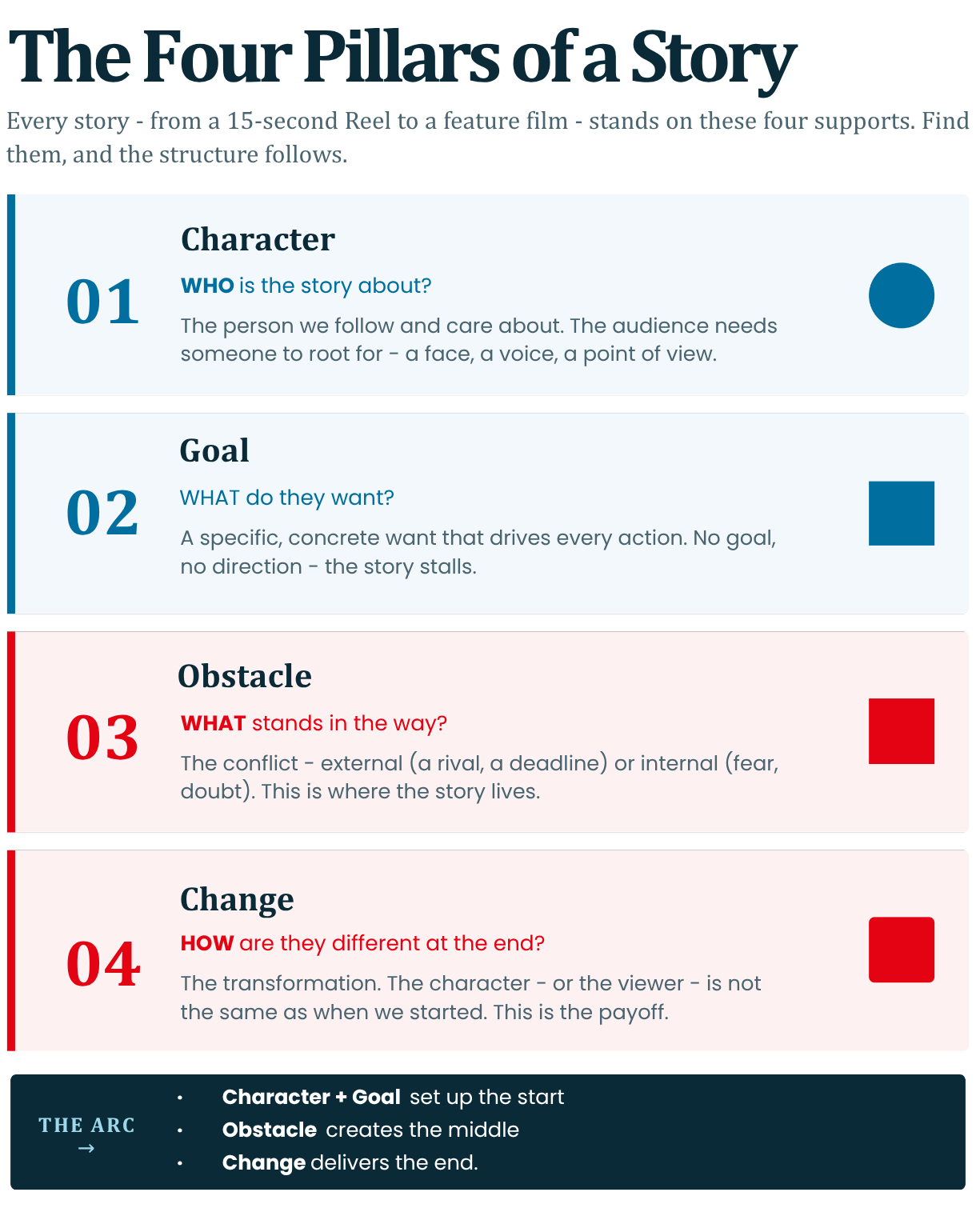
What elements compose a story: character, goal, obstacle, change.
-
Why the brain loves stories: emotion, meaning, and memory.
-
The difference between events and narrative (raw footage vs crafted story).
-
Introduction to story structure: (3 act structure) beginning, middle, end.
-
The core of story: conflict and stakes.
-
Examples from film, social media videos, and documentaries.
-
Exercise: transforming a simple real-life event into a story outline.
-
Audio-visual focus: recognising story elements inside video clips.
1. What Elements Compose a Story: Character, Goal, Obstacle, Change
At its core, a story boils down to four essential elements that give it life and momentum. These aren't abstract concepts - they are the building blocks filmmakers, TikTok creators, and documentarians use to hook viewers.
- Character: The 'who' driving the story. Not just any person, but one with desires, flaws, or relatability. In audio-visual terms, reveal them through actions, expressions, or dialogue rather than exposition.
Example: A shy teen (character) filming their first vlog.- Goal: What the character wants. It creates direction and urgency. Make it specific and personal
Example: specific 'win the school talent show' vs. vague 'be happy'.- Obstacle: The "but" that blocks the goal. External (rainy weather ruins outdoor shoot) or internal (fear of judgment). This sparks tension.
- Change: The transformation at the end. The character grows, fails, or shifts perspective. Without it, there's no payoff
Example: teen overcomes nerves, posts the vlog, gains confidence.These elements create propulsion: Character pursues Goal, hits Obstacle, emerges Changed. In video clips, scan for them: Does the shot linger on a determined face (goal)? A slammed door (obstacle)? A smile post-struggle (change)?
Reference: Pixar storytelling rules emphasise ‘Once upon a time there was ___. Every day, ___’ to embed these upfront (Pixar in a Box, Khan Academy).
https://www.youtube.com/watch?v=1rMnzNZkIX0&list=PL64d_z5MCoeg5fKLqnVvGuIJvzsdhJ10rWatch: Pixar in a Box storytelling playlist
Read: Khan Academy - Pixar in a Box: The Art of Storytelling
Explore Further: Pixar - Pixar in a Box overview
Exercise: Watch a 15-second Instagram Reel. Label the four elements.
2. Why the Brain Loves Stories: Emotion, Meaning, and Memory
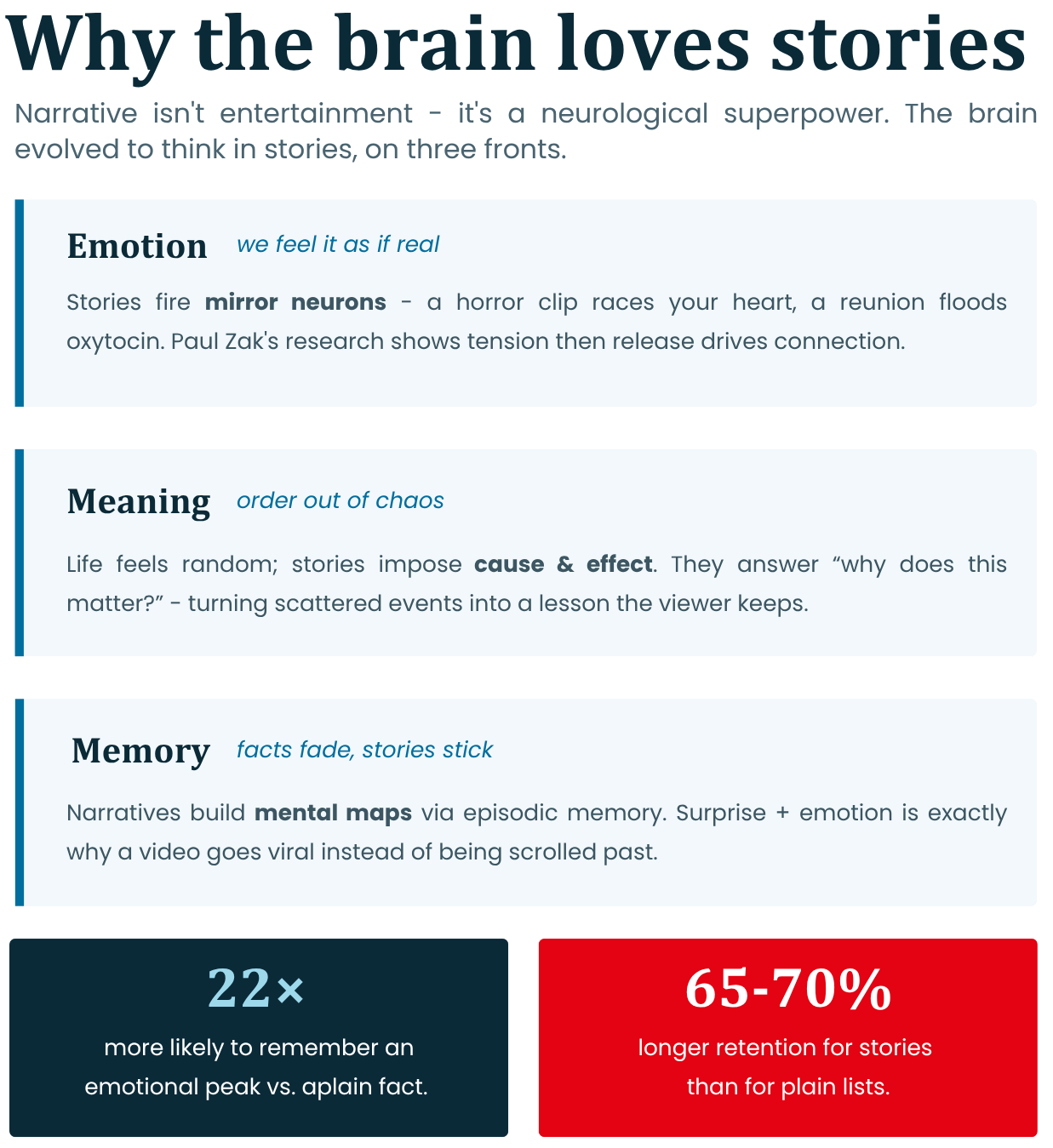
Stories aren't entertainment - they're neurological superpowers. Human brains evolved for narratives to process the world, survive threats, and bond socially.
- Emotion: Stories trigger mirror neurons, simulating experiences as if real. Fear in a horror clip? Your heart races. Joy in a reunion scene? Oxytocin floods for connection. This beats facts: Emotional peaks make viewers 22x more likely to remember (Perkins School of Data Science study).
- Meaning: Life feels chaotic; stories impose order. They answer 'Why does this matter?' via cause-effect chains, turning random events into lessons. Documentaries excel here - e.g., explaining climate change through one family's journey.
- Memory: Narratives create 'mental maps'. Facts fade; stories stick via episodic memory (hippocampus activation). Social media thrives on this: Viral videos embed via surprise + emotion.
For youth creators: Use close-ups for emotion, arcs for meaning. Brains retain stories 65-70% longer than lists (Noble Desktop).
Neuroscientist Paul Zak's research shows stories raise cortisol (tension) then oxytocin (release), boosting retention (TED Talk: "The Moral Molecule").
Watch: Paul Zak TED Talk - Trust, morality and oxytocin
Read: Paul J. Zak - Why Inspiring Stories Make Us React
Audio-Visual Tip: In clips, note swelling music (emotion) or voiceover "aha" (meaning).
3. The Difference Between Events and Narrative (Raw Footage vs Crafted Story)
Events are unfiltered reality; narratives are sculpted truth. Spot the gap to elevate your videos from amateur to pro.
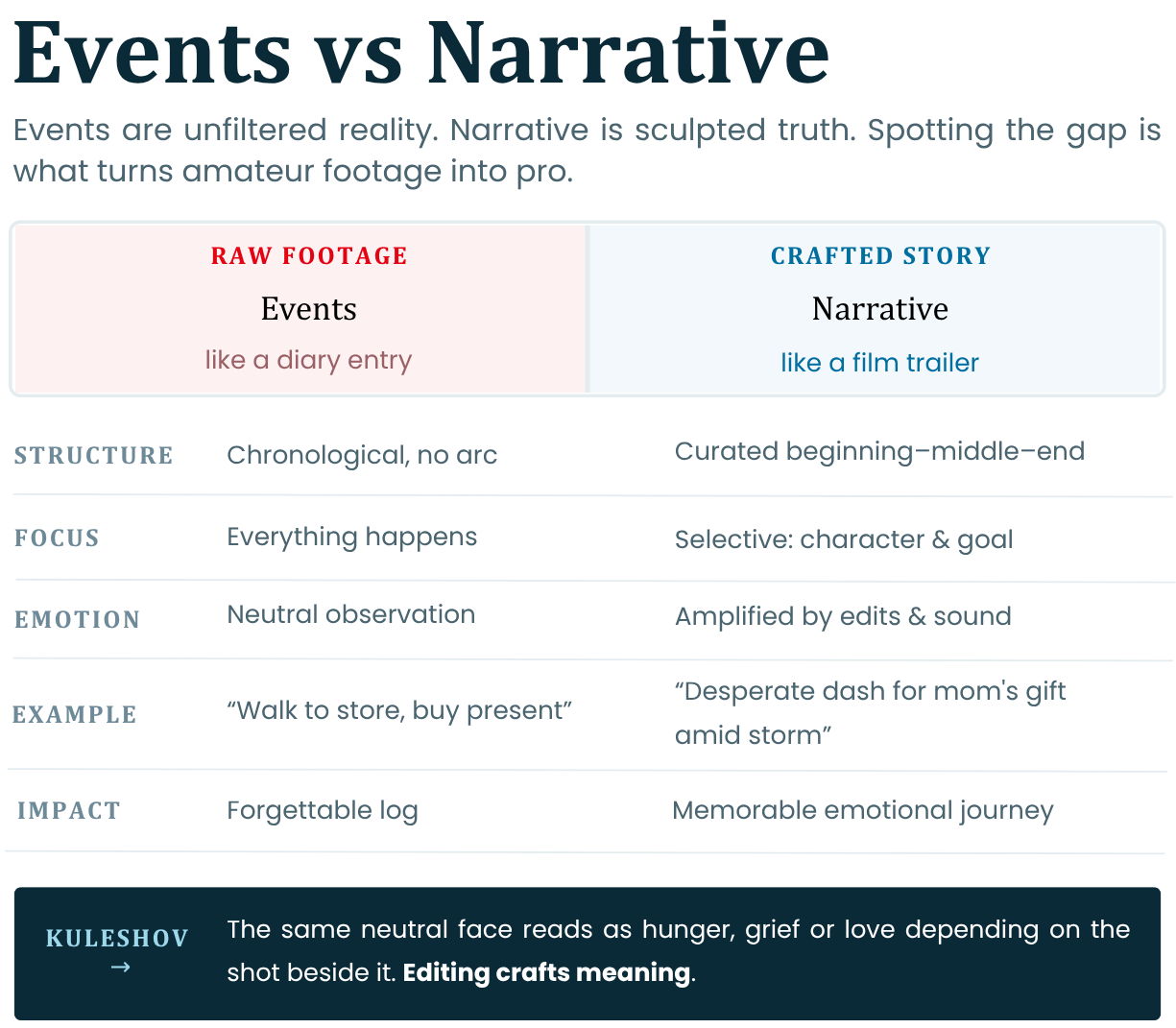
Raw footage is like a diary entry.
Narrative is like a film trailer.
In post-production, cuts imply meaning - e.g., shaky cam for chaos vs steady for resolve.Social media: Raw vlog flops; edited with music hooks viewers.Reference: The Kuleshov Effect (1920s Soviet editing): Same actor's neutral face + soup = hunger; + woman = lust. Proves editing crafts narrative from events (Film Editing Theory). https://www.youtube.com/watch?v=96xx383lpiI
Read: Videomaker - The Kuleshov Effect | StudioBinder - Kuleshov Effect examples
Exercise: Grab raw phone footage; rewatch to find a story.
4. Introduction to Story Structure: 3-Act Structure (Beginning, Middle, End)
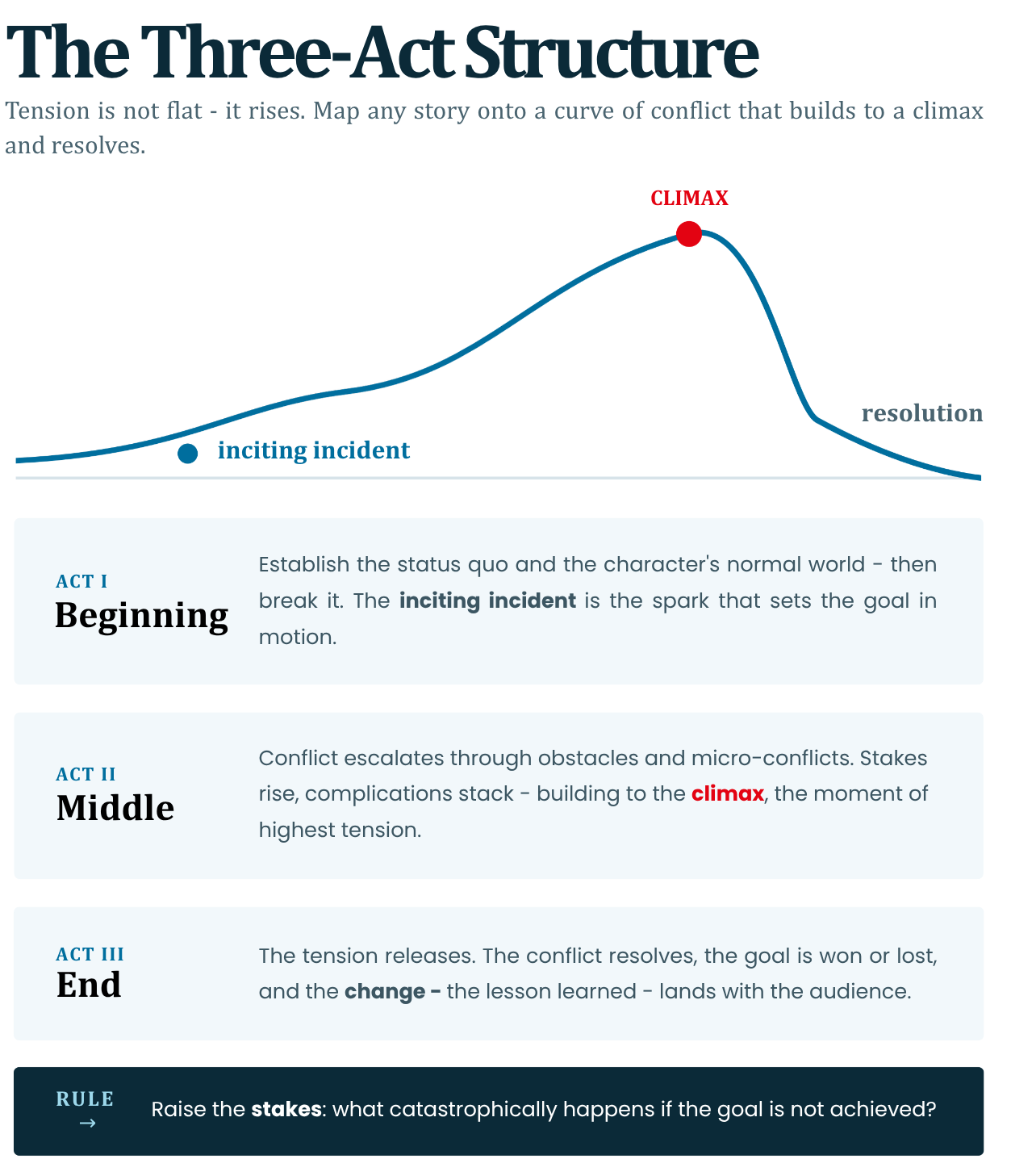
The 3-Act Structure is storytelling's universal blueprint - simple yet powerful for short videos. Divide your 1-3 minute clip accordingly.
- Act 1: Beginning (Setup, 25% runtime): Introduce character, world, goal. Hook immediately (question/action).
Example: Wide shot of bustling street; zoom to protagonist checking watch (stakes: late for audition).- Act 2: Middle (Confrontation, 50% runtime): Escalate obstacles. Build tension via quick cuts, rising music.
Example: Traffic jam, phone dies—internal doubt montage.- Act 3: End (Resolution, 25% runtime): Climax + change. Payoff feels earned.
Example: Run finale, nail audition, reflective smile.Visualise as a wave: Rise (Acts 1-2), peak (climax), fall (resolution).
Fits TikToks (15s Act 1 hook) to docs.Syd Field's "Screenplay" popularised 3-Acts for film; applies to shorts (used in Sundance labs).
Read: StudioBinder - Three Act Structure in Film
Exercise: Draw 3 boxes per act for planning.
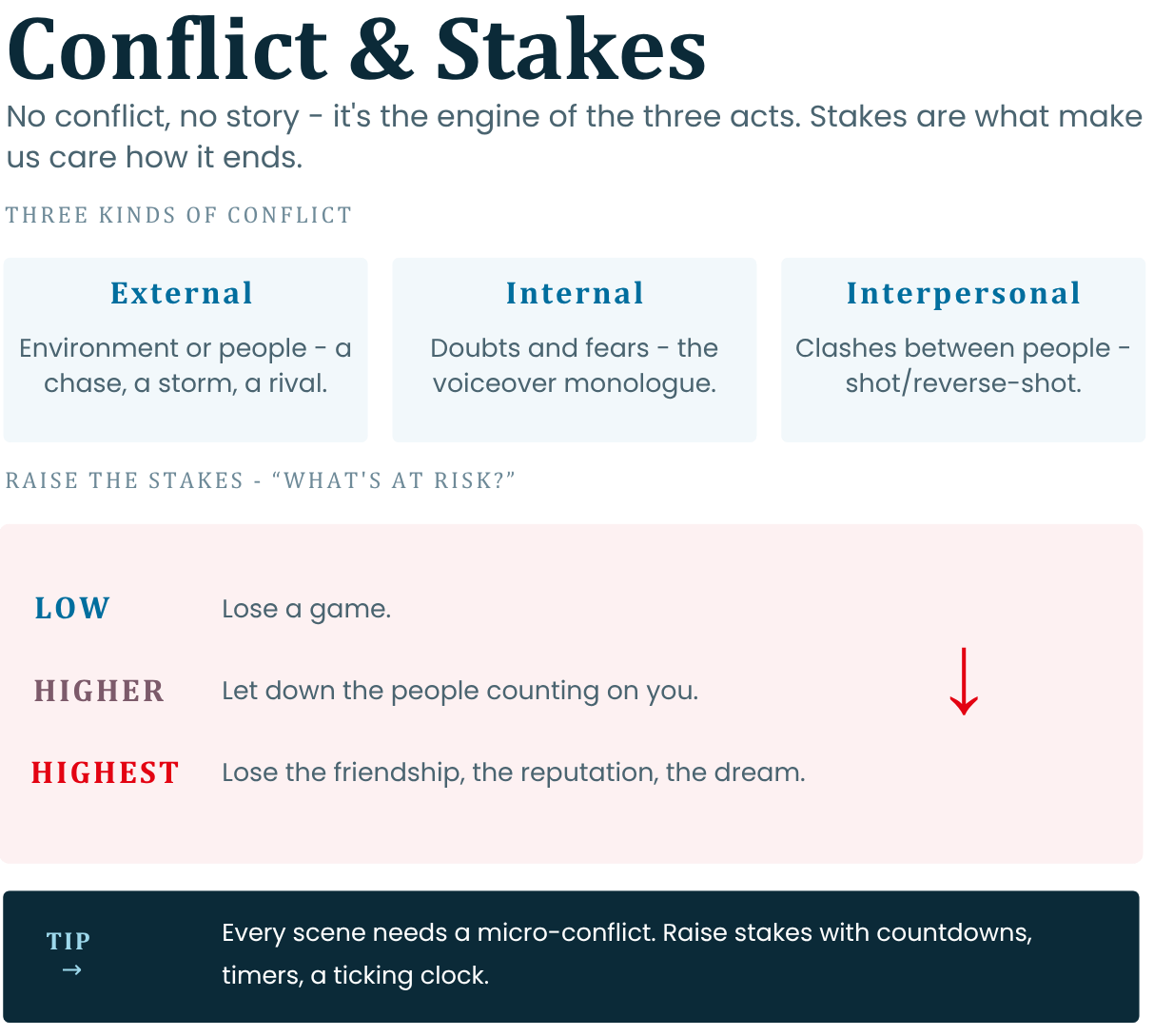
5. The Core of Story: Conflict and Stakes
No conflict, no story—it's the engine propelling the 3-Acts. Stakes make us care.
Conflict Types:
- External: Environment/people (chase scene).
- Internal: Doubts/fears (voiceover monologue).
- Interpersonal: Clashes (argument shot reverse-shot).
Stakes: "What's at risk?"
- Low: Lose a game.
- High: Lose friendship/reputation/dream.
Raise via countdowns (for example timer overlay).
In audio-visuals:
Conflict via cross-cuts (protagonist vs antagonist).
Stakes via dialogue ("If I fail, the team's done").
Social media: Drama = views; resolution = shares.
Robert McKee's "Story" defines conflict as "life vs death" metaphorically, even in comedies.
Read: McKee Story - Inner Conflict and Forces of Antagonism | McKee Story - Do Your Scenes Turn?
Tip: Every scene needs micro-conflict to sustain momentum.
6. Examples from Film, Social Media Videos, and Documentaries
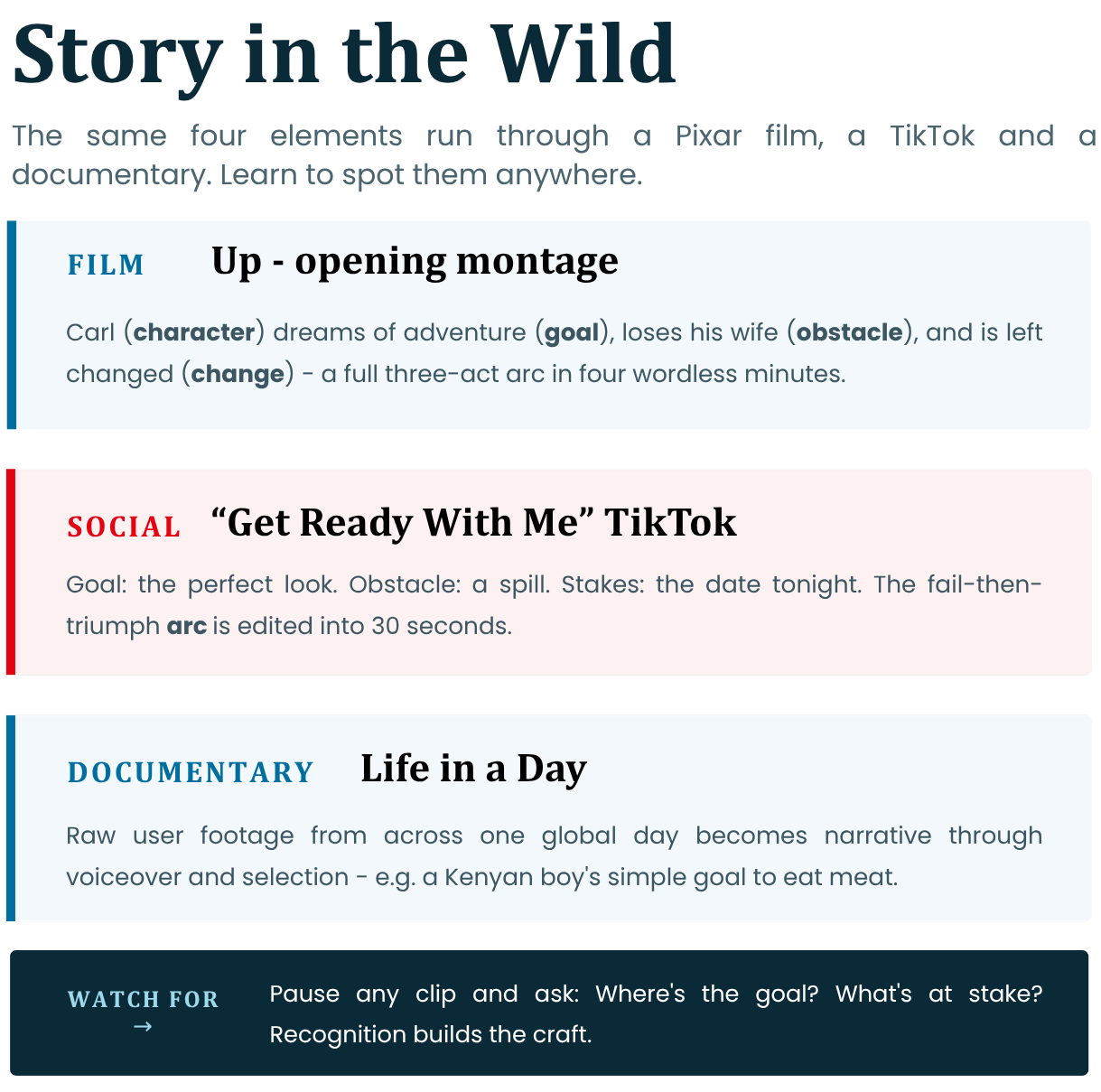
Apply elements to real media:
- Film: *Up* opening (Pixar): Elderly Carl (character) loses wife (obstacle), goal to adventure (change). 3-Act montage crushes hearts.
Watch: Up - Married Life opening scene
Read: Rotten Tomatoes - Carl and Ellie opening sequence
- Social Media: Viral TikTok "Get Ready With Me" fails → triumphs: Goal (perfect look), obstacle (spill), stakes (date), edited arc.
- Documentary: *Life in a Day* clips: Raw event (global day) → narrative via voiceover/selection (e.g., Kenyan boy's goal to eat meat).
Watch/analyse: Pause for "Spot goal? Stakes?" Builds recognition.
Reference: *Life in a Day* (YouTube/Kevin Macdonald, 2011) exemplifies user footage into narrative.
Watch: Life in a Day 2010 - full film
Read: The Guardian - Life in a Day background
Explore Further: Life in a Day YouTube channel
Practice: Link to 1-min clips for self-review.
7. Exercise: Transforming a Simple Real-Life Event into a Story Outline + Audio-Visual Focus
1. Pick Event: Mundane, e.g., "morning commute".
2. Identify Elements: Character (you), Goal (arrive on time), Obstacle (bus delay), Change (learn patience).
3. 3-Act Outline:
- Beginning: Alarm, rush out.
- Middle: Crowded bus, phone drama.
- End: Arrive, reflect positively.
4. Amp Stakes/Conflict: "Miss class? Fail project?"
5. Audiovisual Layer: Note shots (close-up frustration), sound (horns), edit (montage).
Film your outlined event (30s raw), add narrative voiceover next module.
-
-
MODULE 1 ASSIGNMENT
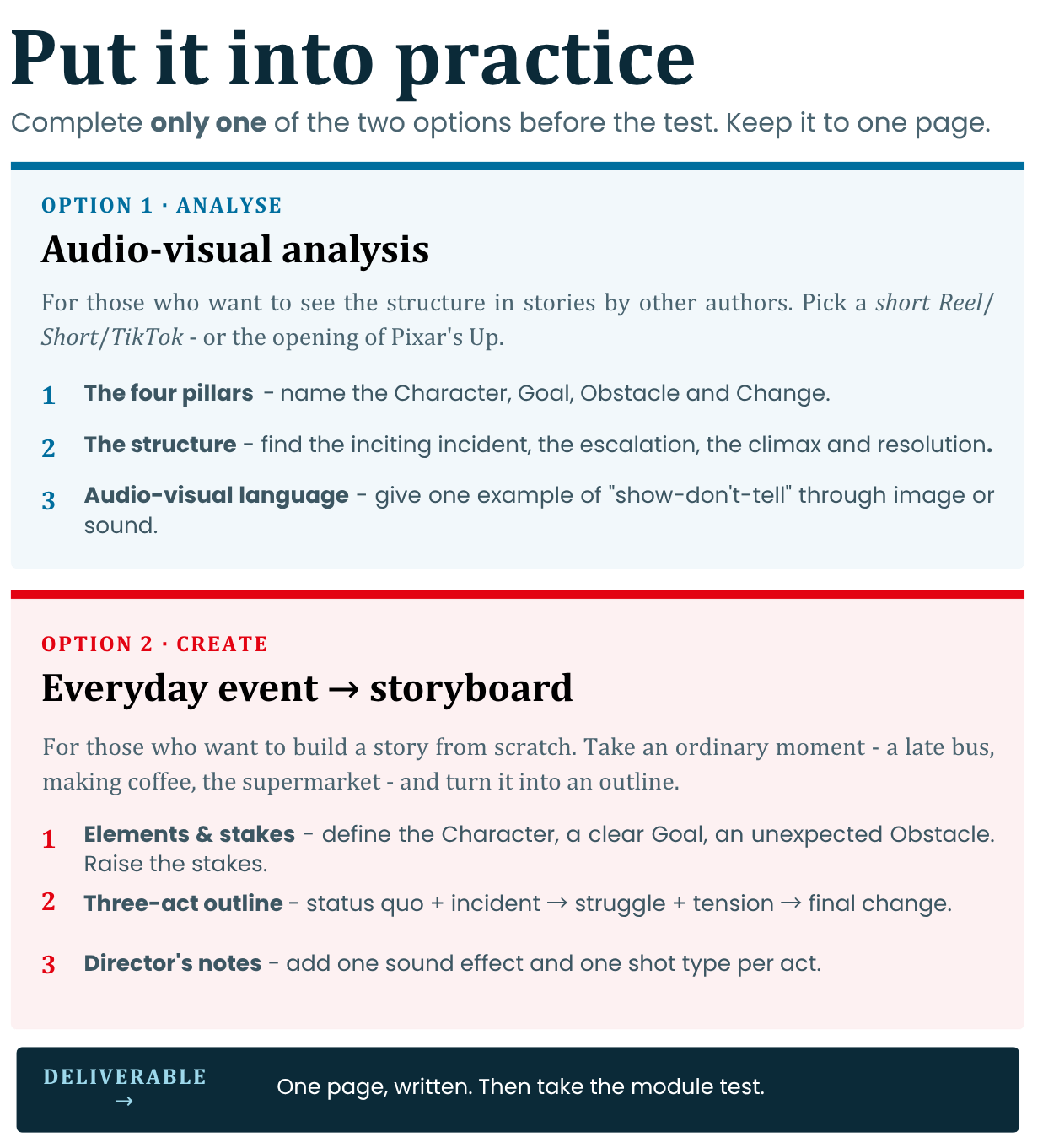
Choose and complete only one of the two options of your choice. This task will help you put what you have learned into practice before moving on to the test.
Option 1: Audio-visual analysis of an existing story
-
Description: This option is suitable for people who want to develop their ability to “see” the structure of stories created by other authors.
-
Your task: Choose a short video from social networks (TikTok, Instagram Reels, YouTube Shorts) or analyse the opening video from the Pixar film Up mentioned in the module. Describe the following elements in writing in a volume of up to one page:
1. The Four Pillars: Who is the Character? What is their specific Goal? What Obstacle does they encounter (external or internal) and what is the Change in them at the end?
2. The Structure: What is the intriguing incident in the Beginning? How does the conflict escalate in the Middle? What is the climax and resolution in the End?
3. Audio-visual language: Provide at least one example of how the creator uses visuals (e.g., close-up for emotion) or sound (e.g., diegetic sound from the environment) to “show, not tell” the story.
Option 2: Turning an Everyday Event into a Storyboard
-
Description: This option is for those who want to step into the role of authors and build their own story from scratch.
-
Your task: Choose a completely ordinary everyday event (e.g., shopping at the supermarket, waiting for a late bus, trying to make coffee in the morning). Turn it into a compelling Outline by writing down:
1. The Elements and Stakes: Define the Character (you or a fictional person). Set a clear Goal and add an unexpected Obstacle. Artificially raise the Stakes – what catastrophically will happen if the goal is not achieved?
2. Three-Act Screenplay: Write out the event in three acts - Climax (introducing the status quo and incident), Climax (the struggle with the obstacle and micro-conflicts, followed by the critical moment when the tension rises), Resolution (the final change/lesson learned).
3. Director's Notes: Add one audio-visual note to each of the three acts - what sound effect will be heard and what type of shot (e.g. wide shot) will you use to transport the viewer to the scene of the event.
-
-
-
-
Module 2: Seeing Like a Storyteller
Seeing Like a Storyteller
Visual Language and Meaning
Goal: Participants will master how visuals alone tell stories, using smartphone cameras to compose shots that evoke emotion, power, and narrative without dialogue or text. This builds on Module 1 by shifting from story elements to their visual expression. The overall goal is participants to learn how images communicate story without words.
-
How framing affects meaning (wide shot, close-up, point of view).
-
Camera angle and power (high angle, low angle, eye level).
-
Composition basics: rule of thirds, focus, foreground/background.
-
Using movement to convey emotion and intention.
-
Visual symbolism and visual metaphor in video.
-
Introduction to storyboarding and shot planning.
-
Exercise: create a 6-shot visual story using only images.
-
Audio-visual focus: visual storytelling tools using phone cameras.
1. How Framing Affects Meaning (Wide Shot, Close-Up, Point of View)
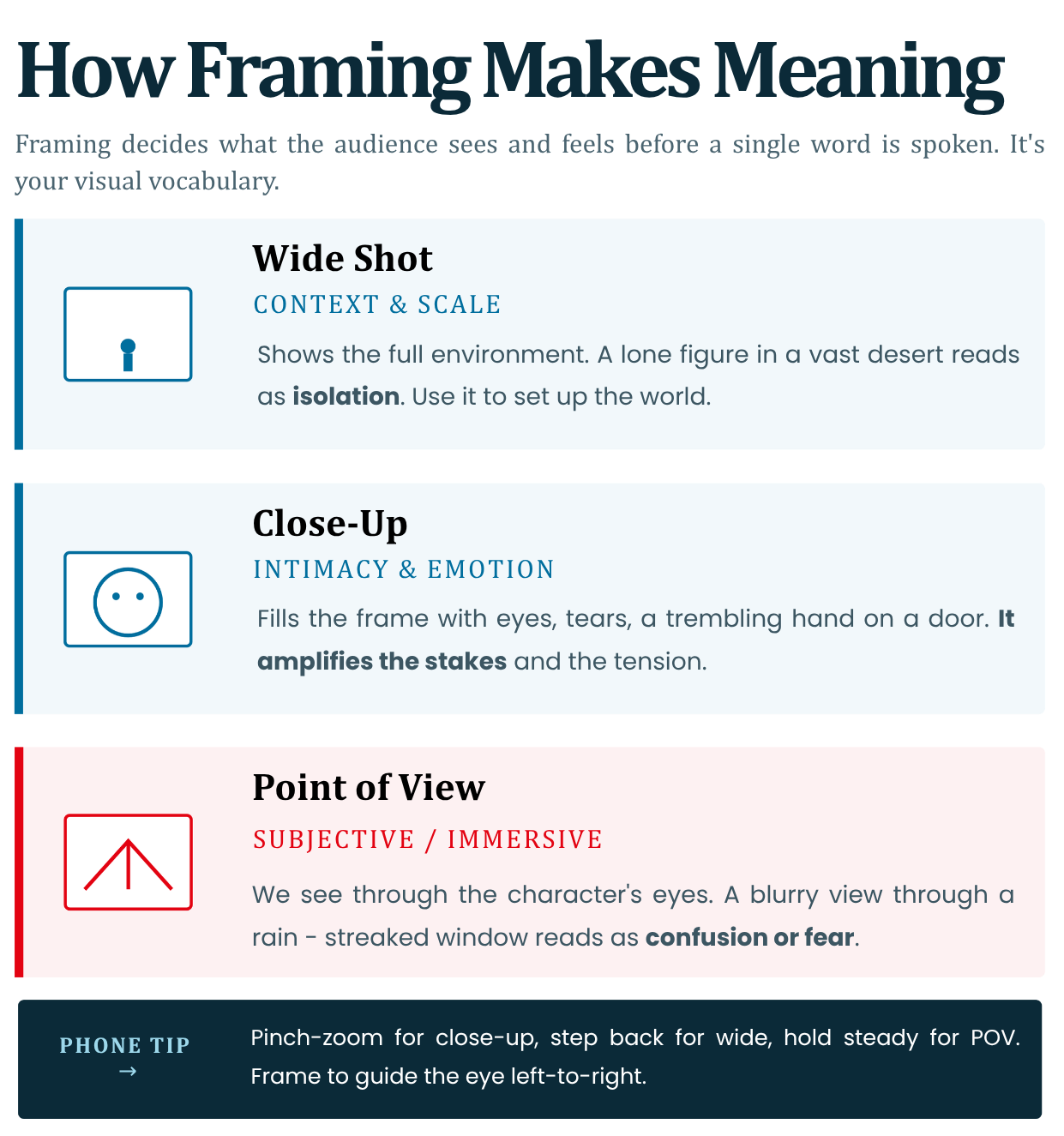
Framing defines what the audience sees - and feels - before a single word is spoken. It's your visual vocabulary for storytelling.
- Wide Shot (Establishing): Shows full context/environment. Builds world/scale.
Example: Lonely figure in vast desert = isolation. Use for setups (Module 1 beginning).- Close-Up: Intimate details/emotions. Zooms on eyes/tears for tension.
Example: Trembling hand on door = anticipation. Amplifies stakes.- Point of View (POV): Subjective angle (through character's eyes). Immerses viewer.
Example: Blurry view through rain-streaked window = confusion/fear.Phone Tip: Pinch-zoom (close-up), step back (wide), hold steady for POV. Framing guides eye flow—left-to-right for Western narratives.
Reference: Sergei Eisenstein's montage theory: Frame choice edits reality (Battleship Potemkin, 1925). https://www.youtube.com/watch?v=fBqAGdqTNz0
Watch: Battleship Potemkin - Odessa Steps sequence
Read: ACMI - Battleship Potemkin: Odessa Steps
Quick Check: Reframe a selfie: Wide = context; Close = mood.
2. Camera Angle and Power (High Angle, Low Angle, Eye Level)
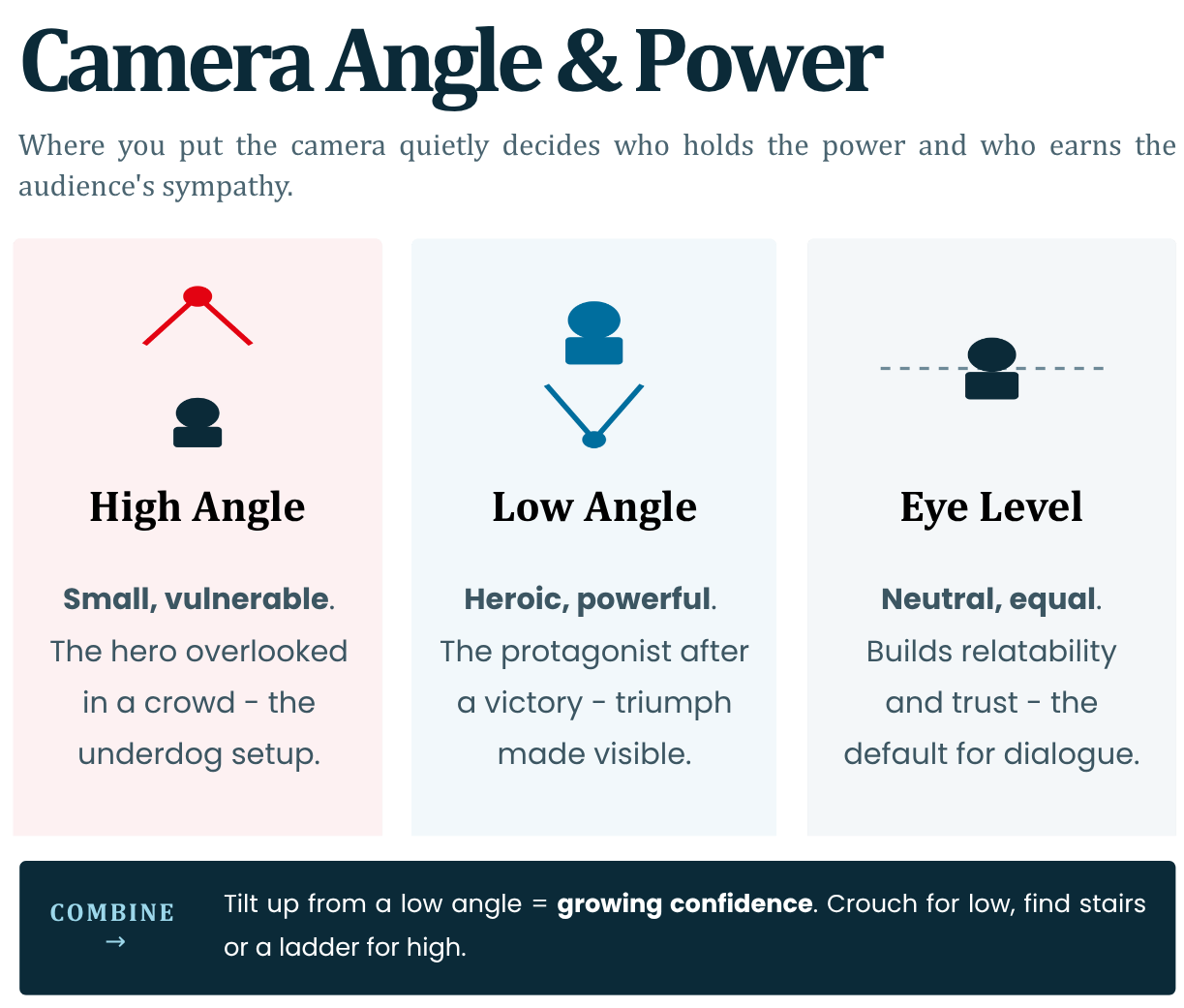
Angles manipulate perceived power dynamics and emotion, subtly directing audience sympathy.
- High Angle: Camera above subject. Makes them small/vulnerable.
Example: Hero overlooked in crowd = underdog setup.- Low Angle: Camera below. Empowers/makes heroic.
Example: Protagonist post-victory = triumph.- Eye Level: Neutral/equal. Builds relatability/trust. Default for dialogues.
Combine with movement: Tilting up from low = growing confidence. Youth creators: Crouch/lie for low; ladder/stairs for high. Power shifts drive conflict visually.
Reference: Orson Welles' Citizen Kane uses Dutch angles/low for menace (1941); standard in film schools.
Watch: How Orson Welles shot Citizen Kane
Read: BFI - 20 inspired visual moments in Citizen Kane | ASC - Realism for Citizen Kane
Audio-visual Tip: In clips, note: Villain intro = high angle on victim.
3. Composition Basics: Rule of Thirds, Focus, Foreground/Background
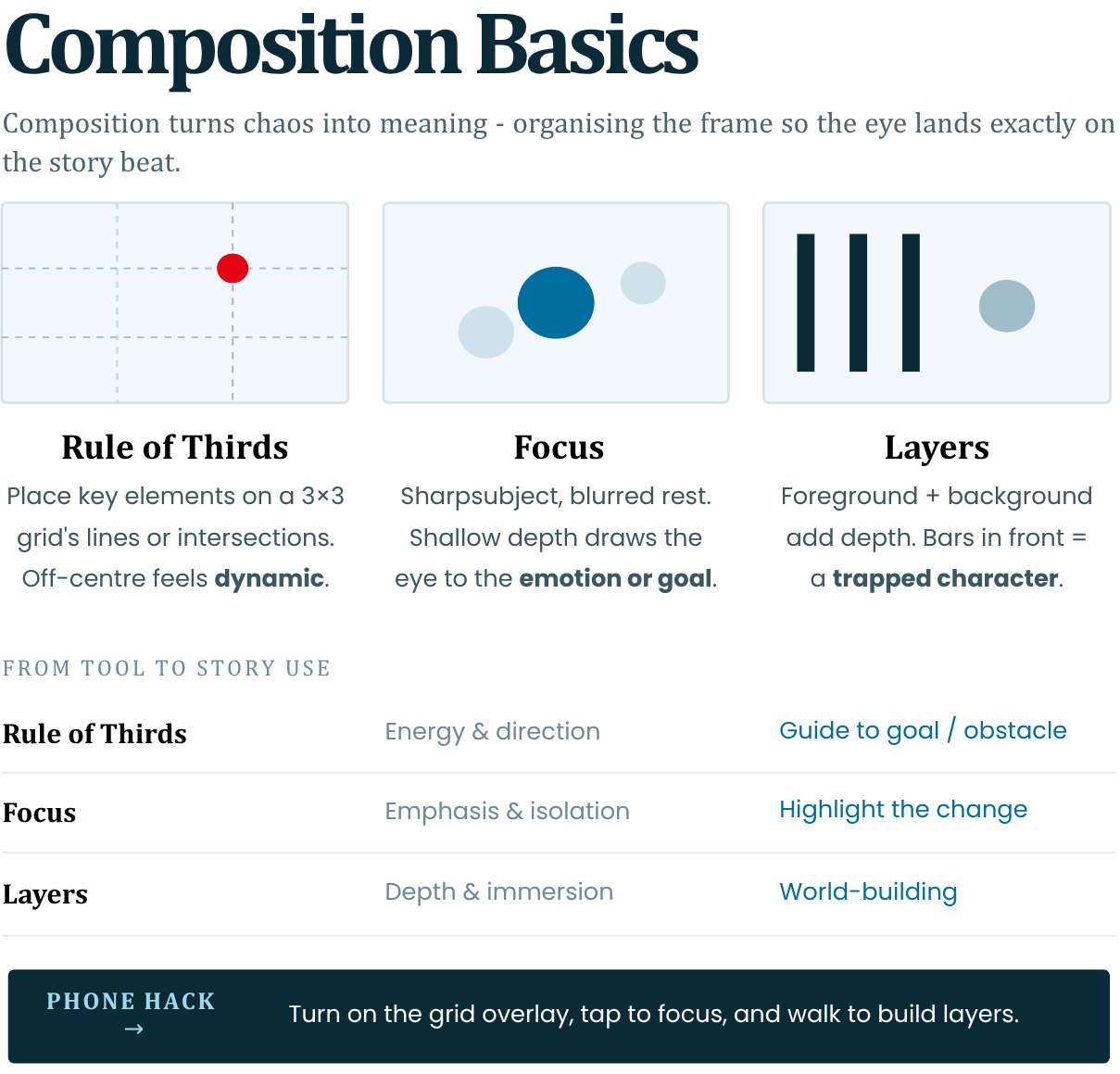
Composition organises chaos into meaningful visuals - guiding the eye to story beats.
- Rule of Thirds: Imagine 3x3 grid; place key elements (eyes, horizon) at intersections. Off-centre = dynamic/tension.
Phone: Enable grid overlay.- Focus: Sharp subject, blurred rest (shallow depth). Draws to emotion/goal.
Example: Focused face, blurred obstacle behind.- Foreground/Background: Layers add depth. Foreground frames action; background hints world/symbolism.
Example: Bars in foreground = trapped character.Avoid centred/symmetrical unless for stability. Builds subconscious narrative flow.
Reference: Rule of Thirds from painting (Da Vinci); codified in photography by Henri Cartier-Bresson ("Decisive Moment," 1952).
Read: Adobe - Rule of Thirds in photography
Phone Hack: Tap-to-focus; walk for layers.
4. Using Movement to Convey Emotion and Intention
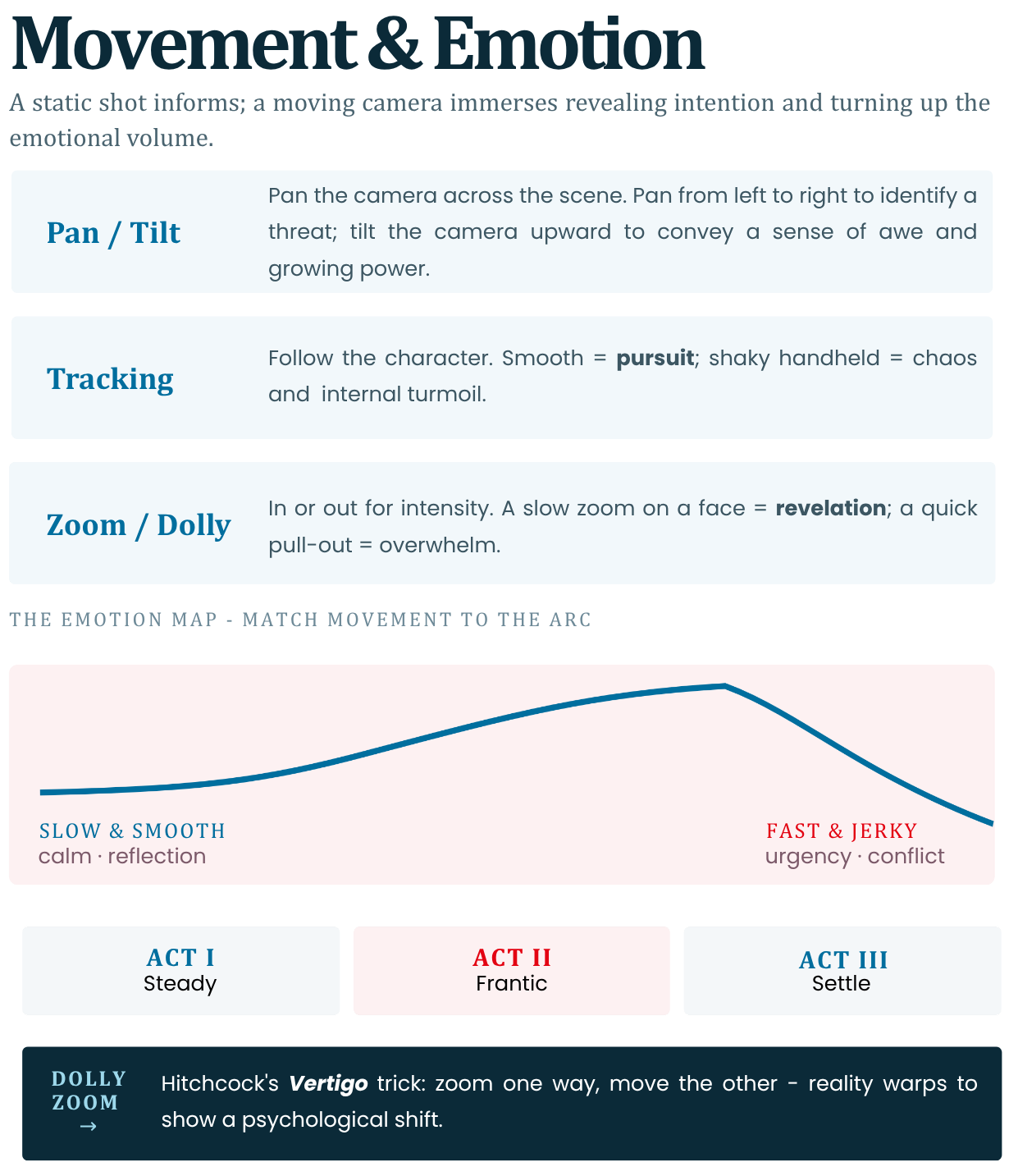
Static shots inform; movement immerses, revealing intention and escalating emotion.
- Pan/Tilt: Sweep across scene. Pan left-right = scanning threat; tilt up = awe/power rise.
- Tracking/Handheld: Follow character. Smooth = pursuit; shaky = chaos/internal turmoil.
- Zoom/Dolly: In/out for intensity. Slow zoom face = revelation; quick out = overwhelm.
Emotion Map:
Slow/smooth = calm/reflection (resolution);
Fast/jerky = urgency (conflict).
Phone: Walk-and-talk for tracking; gimbal apps for smooth.Reference: Hitchcock's "Dolly Zoom" (Vertigo, 1958) distorts reality for dread - emulates psychological shift.
https://www.youtube.com/watch?v=G7YJkBcRWB8Watch: Evolution of the Dolly Zoom
Read: Adobe - What is a dolly zoom? | Wired - How the Vertigo effect works
Tip: Match movement to arc: Steady Act 1, frantic Act 2, settle Act 3.
5. Visual Symbolism and Visual Metaphor in Video
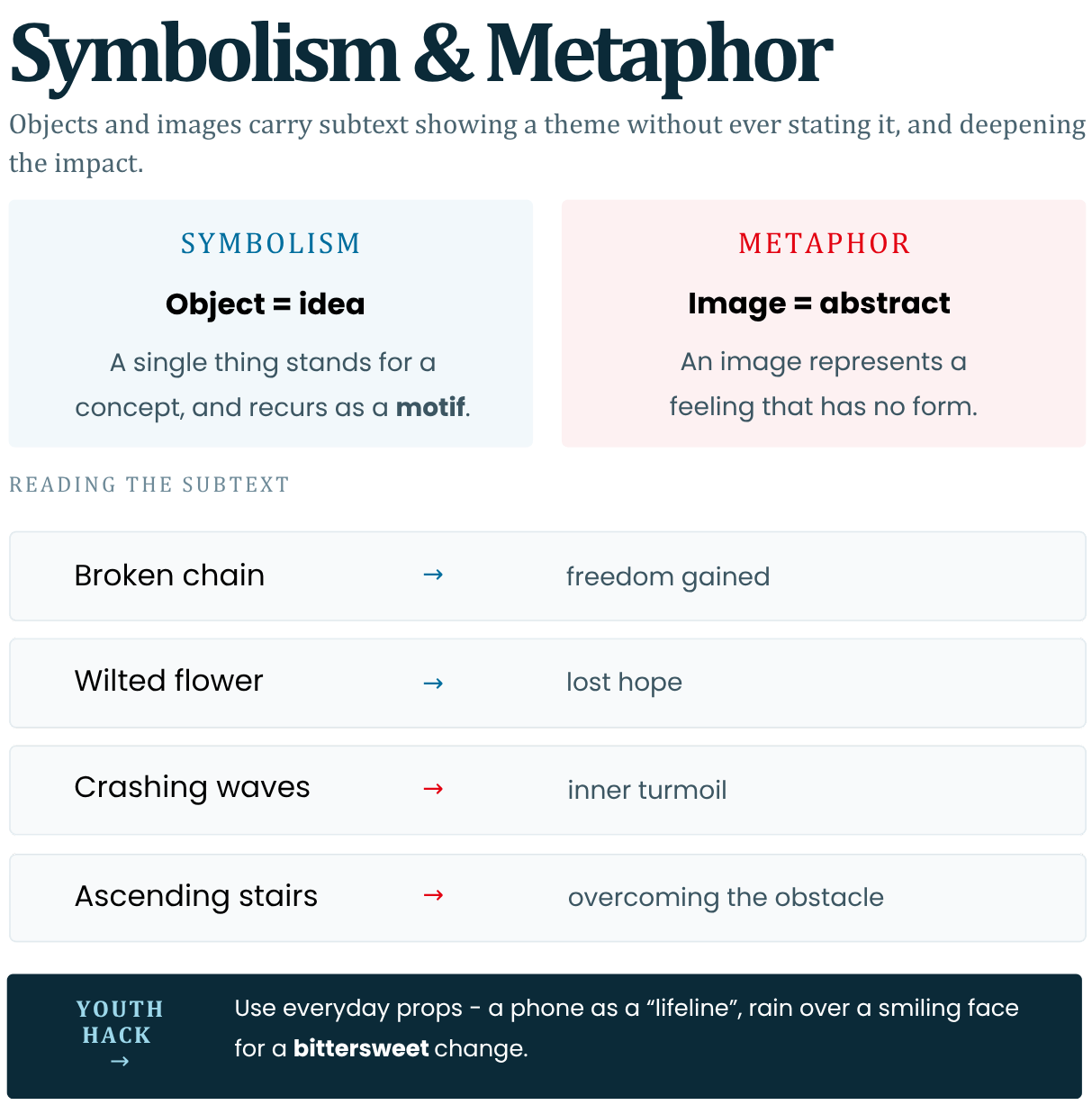
Symbols/metaphors layer subtext—showing themes without words, deepening impact.
- Symbolism: Objects represent ideas.
Example: Broken chain = freedom gained; wilted flower = lost hope.
Recur for motif.- Metaphor: Visual stand-in for abstract.
Example: Crashing waves = inner turmoil; ascending stairs = overcoming obstacle.In shorts: Quick inserts (rain for sadness).
Youth: Everyday props (phone as "lifeline"). Builds meaning (Module 1).Reference: Stanley Kubrick's The Shining: Flooded bar = guilt metaphor; axes recur for violence (1980). Analysed in film studies (BFI resources).
https://www.youtube.com/watch?v=YnzYWsdHEpMRead: The Guardian - The Shining at 40
Clip Analysis: Rain over smiling face = bittersweet change.
6. Introduction to Storyboarding and Shot Planning
Storyboard: Visual script - sketches per shot with notes. Plans framing/angle/movement before filming.
Steps:
1. Outline story (Module 1).
2. Break into 8-12 shots.
3. Sketch: Thumbnail frame + angle + duration + audio note.
4. Sequence for flow (e.g., wide → close).
Phone Apps: Canva/Storyboard That (free templates). Prevents wasteful reshoots.
Explore Further: Canva Storyboard templates | Storyboard That
Reference: Disney's multi-plane storyboarding for depth (Snow White, 1937)
https://www.youtube.com/watch?v=xCK2J8K9HfQWatch: Walt Disney's Multiplane Camera
Read: Walt Disney Family Museum - Multiplane Educator Guide
Template Example:
Shot 1: Wide establishing. Low angle hero. Pan right. 5s. Ambient sound.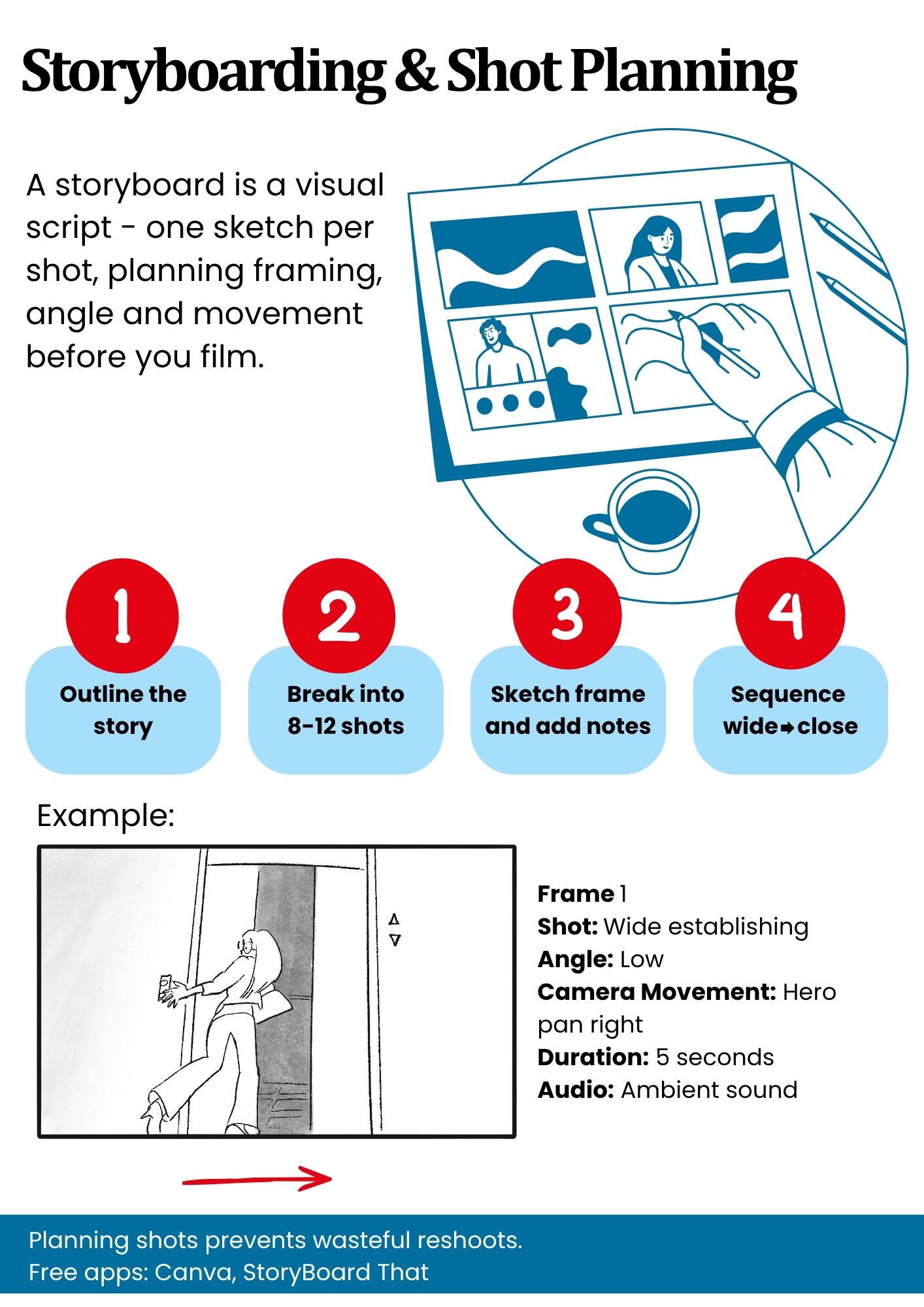
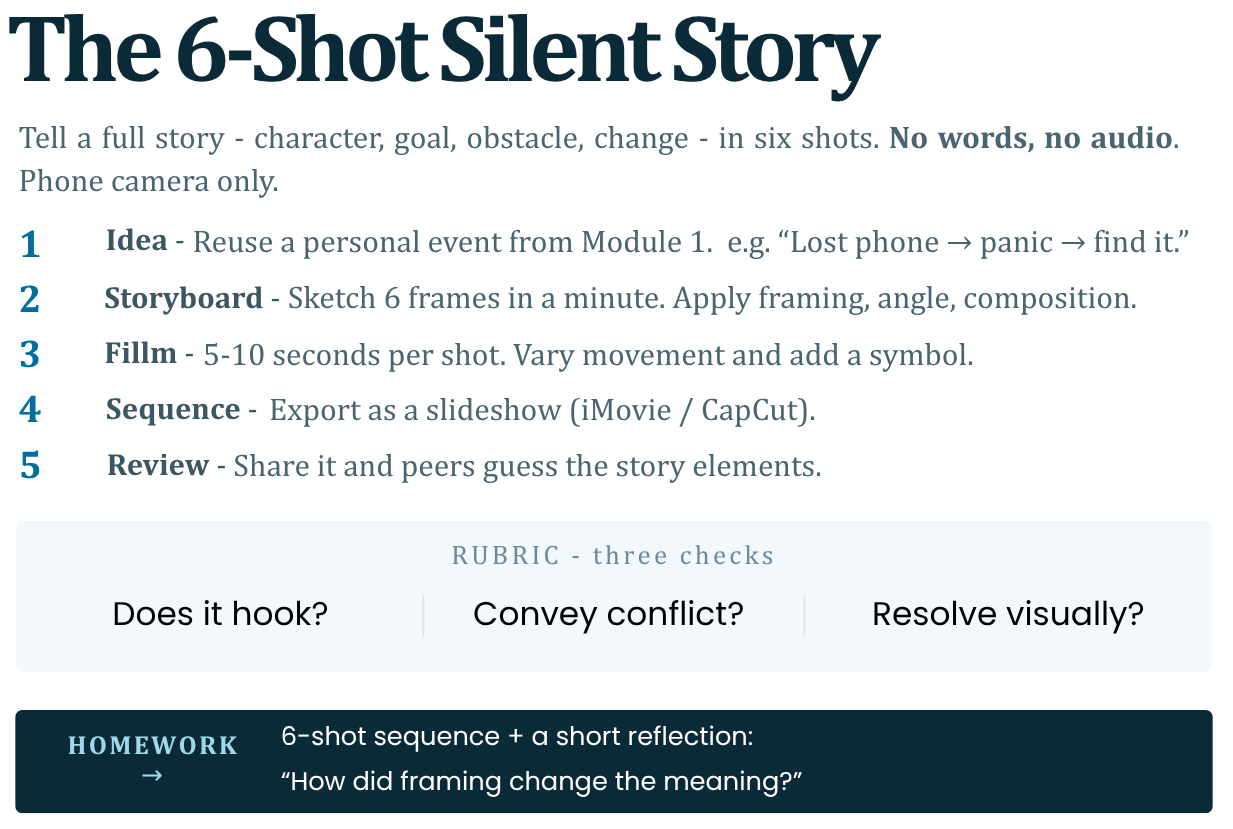
7. Exercise: Create a 6-Shot Visual Story Using Only Images + Audio Visual Focus
Goal: Silent 6-shot sequence telling full story (character-goal-obstacle-change). Use phone camera only.
Steps:
1. Idea: Personal event (Mod 1 outline). Ex: "Lost phone → panic → find it."
2. Storyboard: Sketch 6 frames (1min). Apply framing/angle/composition.
3. Film: 5-10s per shot. Vary movement/symbols. No words/audio.
4. Sequence: Export as slideshow (iMovie/CapCut).
5. Review: Share; peers guess story elements.
Rubric: Does it hook? Convey conflict? Resolve visually?
Phone Tools: Grid on, burst mode for movement, apps like FiLMiC Pro for pro controls (free tier).
Reference: Exercise from NYU Tisch visual storytelling labs; mirrors indie film challenges.
https://www.youtube.com/watch?v=RQQIHieK7lQHomework: 6-shot sequence + reflection: "How did framing change meaning?"
-
-
Module 2 Assignment
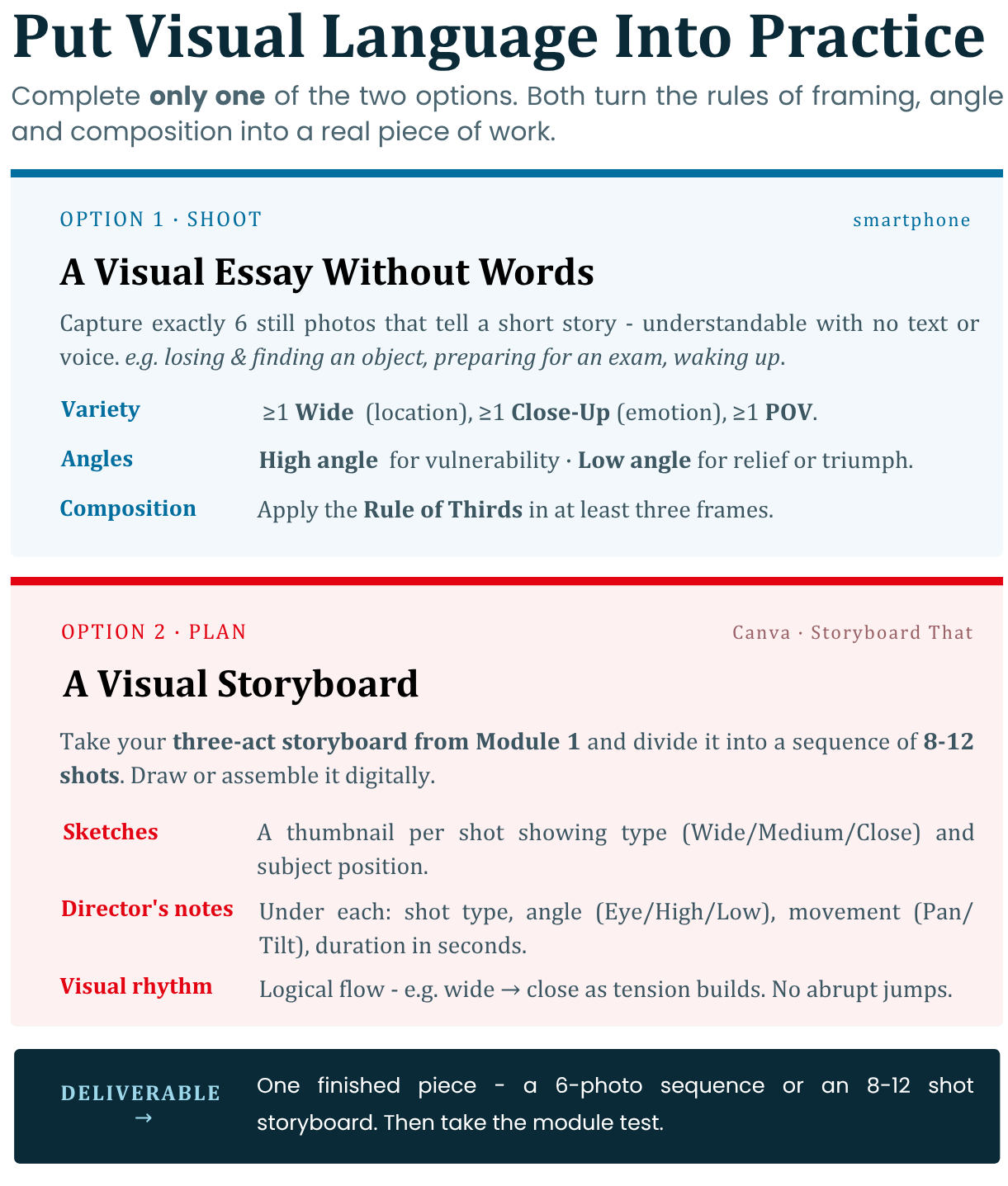
Choose and complete only one of the two options of your choice. These tasks will help you put the rules of visual language into practice.
Option 1: Shooting a Visual Essay Without Words
-
Description: This task focuses on the practical application of framing and camera angles to convey meaning and emotion through images alone.
-
Your task: Use your smartphone to capture a sequence of exactly 6 still photos that tell a short story (for example: losing and finding an object, preparing for an exam, or waking up in the morning). The story should be understandable without the use of text or voice.
-
Performance requirements:
1. Variety of shots: Include at least one Wide Shot to establish the location, one Close-Up to capture an emotion or important detail, and one POV shot.
2. Control Suggestion: Use High Angle to show vulnerability or difficulty in the character, and Low Angle to show relief, triumph, or dominance.
3. Composition: Apply the Rule of Thirds in at least three of the frames by placing the subject on the intersections of the camera grid.
Option 2: Creating a Visual Storyboard
-
Description: This task is suitable for people who want to practice pre-planning a video production and structuring the visual narrative before the actual filming.
-
Your task: Take the three-act storyboard that you developed in the practical task in Module 1 and divide it into a sequence of 8 to 12 separate shots. Draw or digitally assemble (using free templates in Canva or Storyboard That) a storyboard.
-
Requirements for execution:
1. Visual sketches: Each shot must have a graphic image (thumbnail) that clearly shows what the plan is (Wide, Medium, Close-Up) and what the position of the subject is.
2. Director's Notes: Under each thumbnail, write a short technical note containing: the type of shot, the camera angle (Eye Level, High, Low), any movement (Panning, Tilting), and the duration of the shot in seconds.
3. Visual Rhythm: Make sure the shots follow a logical visual flow (for example, moving from wide shot to close-up as the tension builds) to avoid abrupt and confusing jumps for the viewer.
-
-
-
-
Module 3: Time and Emotion
Time and Emotion
Editing and Narrative Flow
Goal: Learners will grasp how editing transforms raw footage into emotional narratives, using simple tools to manipulate time, pacing, and sound. This builds on Modules 1–2 by applying visual language through cuts that shape audience perception and story clarity. The overall goal is participants to understand how editing shapes story, emotion, and clarity.
-
Editing as the invisible storyteller.
-
How shot order creates meaning (the Kuleshov effect explained simply).
-
Pacing: fast vs slow storytelling and emotional impact.
-
Continuity vs contrast in editing.
-
Using sound, silence, and music to strengthen story.
-
Basic introduction to editing tools (mobile and desktop apps).
-
Exercise: edit a short sequence to create different emotional effects.
-
Audiovisual focus: hands-on editing to change story meaning.
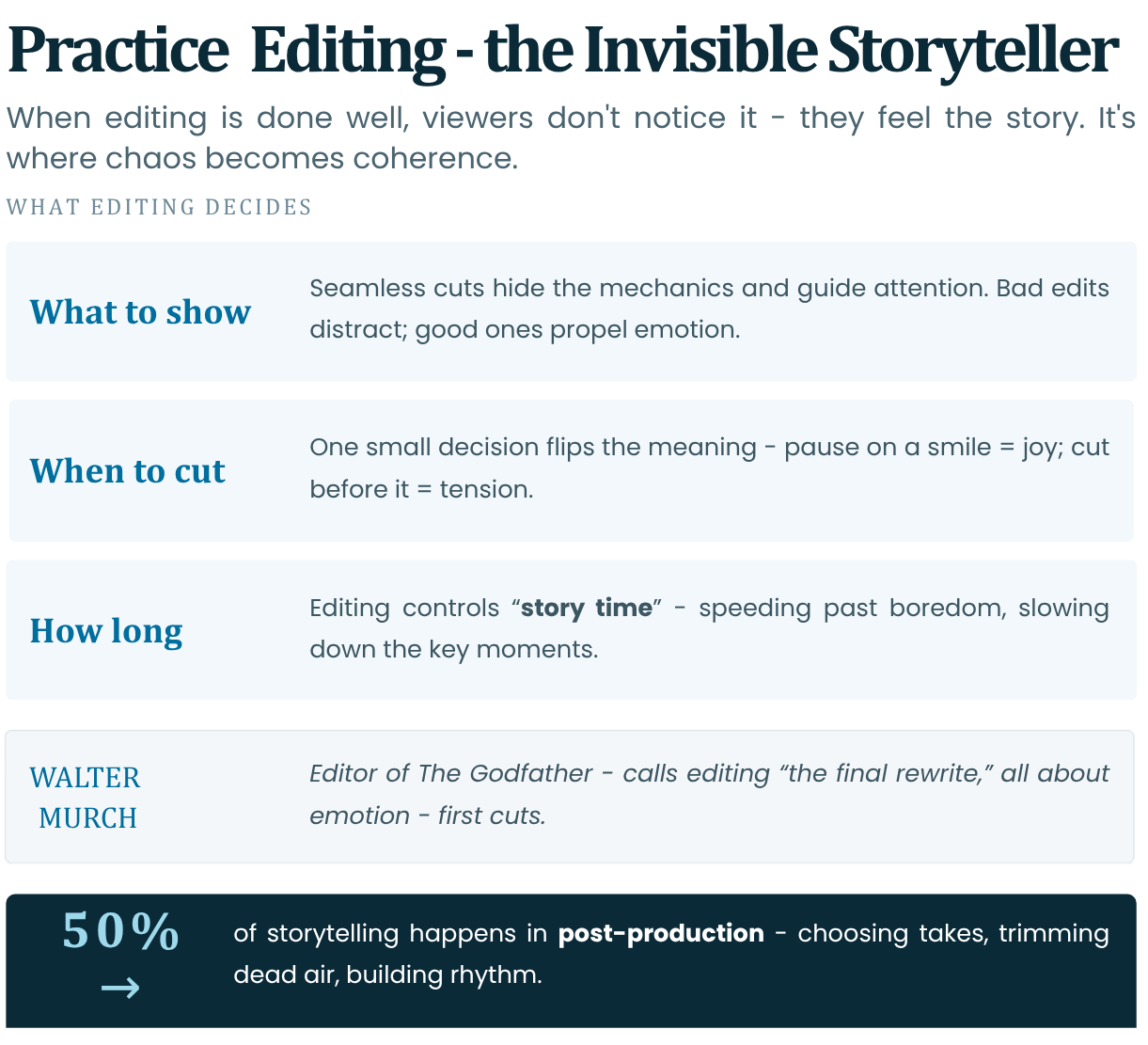
1. Editing as the Invisible Storyteller** (Page 1)
Editing is the "invisible art" - when done well, viewers don't notice it; they feel the story. It's where chaos becomes coherence, deciding what to show, when, and for how long.
Why Invisible?
Seamless cuts hide mechanics, guiding attention. Bad edits distract; good ones propel emotion.
Example: match cuts in *2001: A Space Odyssey*.Watch: 2001: A Space Odyssey - bone to satellite match cut
Read: No Film School - 2001 bone cut analysis
In post-production, editing is 50% of storytelling—choosing takes, trimming dead air, building rhythm.
Simple decisions (cut now? later?) change meaning entirely.
Example: Pause on a smile = joy; cut before = tension.Editing controls "story time" - speeding up boredom, slowing key moments.
Reference: Walter Murch (editor of “The Godfather”) calls editing: the final rewrite; emphasises emotion-first cuts (In the Blink of an Eye, 1995).
Watch: Walter Murch and In the Blink of an Eye
Read: Walter Murch and the Rule of Six
Quick Check: Watch a 30s clip; spot the "invisible" cut that shifts mood.
2. How Shot Order Creates Meaning (The Kuleshov Effect Explained Simply)
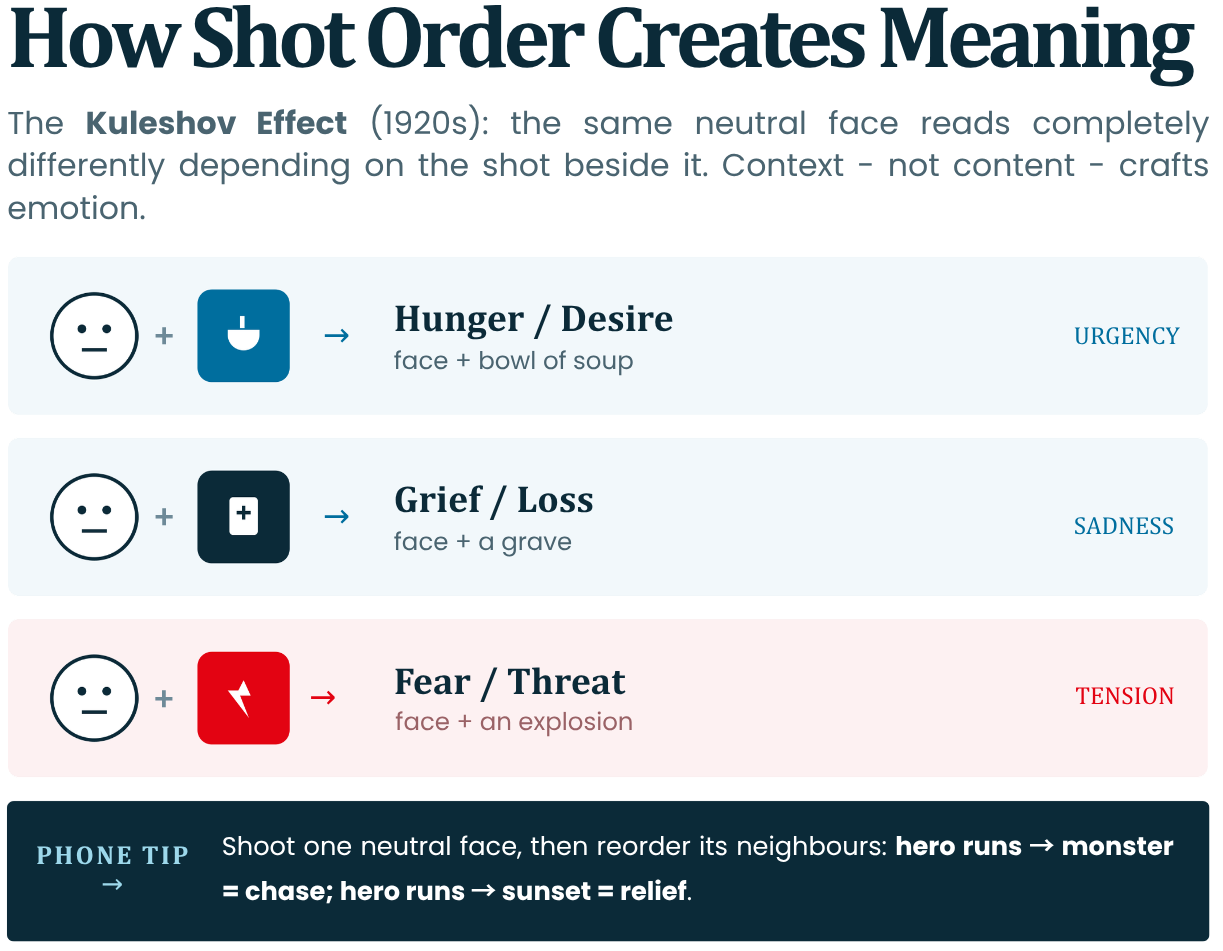
Shot order (montage) creates artificial meaning - same shot, different neighbours, changes interpretation.
- The Kuleshov Effect: 1920s Soviet experiment by Lev Kuleshov.
Same neutral actor face + soup = hungry;
Same neutral actor face + coffin = sad;
Same neutral actor face + woman = lust.
Proves context (editing) crafts emotion, not content alone.- Simple Explanation: Brain fills gaps: "Cut to food → he's hungry."
Order implies cause-effect without words.- Application: In shorts:
Hero runs → monster = chase;
Hero runs → sunset = relief.Phone Tip: Shoot multiple shots (same face, different neighbours) to test. Builds Module 1 conflict through sequencing.
Reference: Original Kuleshov film clips (restored at 1920s archives); core of film theory (BFI: "The Kuleshov Effect").
Shot Order
Implied Meaning
Emotional Impact
Face + Food
Hunger/Desire
Urgency
Face + Grave
Grief/Loss
Sadness
Face + Explosion
Fear/Threat
Tension
Audio Visual Tip: In clips, reorder shots to flip story (e.g., victory → defeat).
3. Pacing: Fast vs Slow Storytelling and Emotional Impact
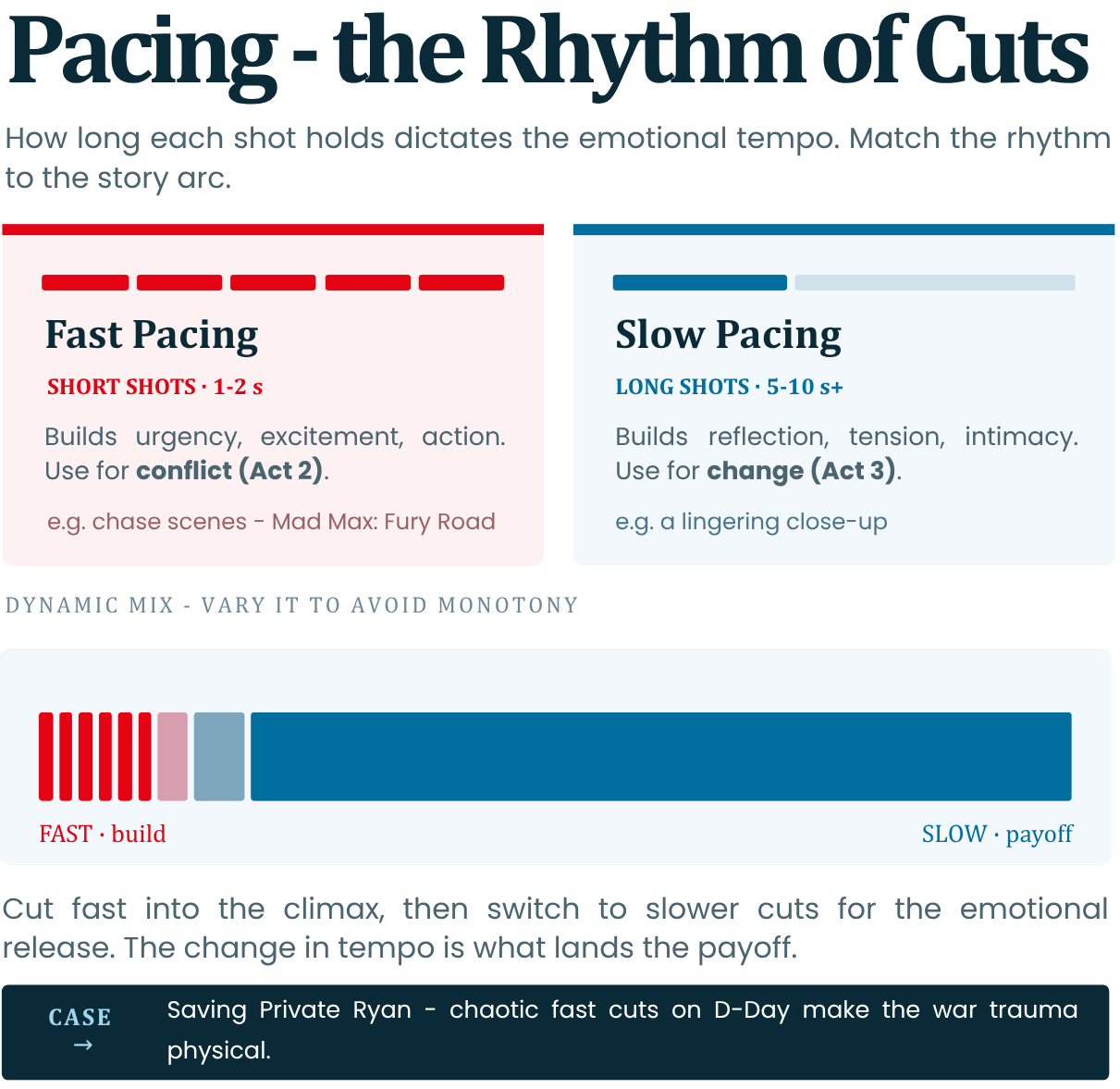
Pacing refers to the rhythm of cuts (how long shots hold). It dictates emotional tempo - match to Module 1 arc.
- Fast Pacing: (Short shots, 1-2s) Builds urgency/excitement/action. Ex: Chase scenes (*Mad Max: Fury Road*). Use for conflict (Act 2).
Watch: StudioBinder - Car chase scene breakdown
Read: VashiVisuals - The Editing of Mad Max: Fury Road
- Slow Pacing: (Long shots, 5-10s+) Builds reflection/tension/intimacy. Ex: Lingering close-up for change (Act 3).
- Dynamic Mix: Start by cutting fast then switching to slower cuts gives emotional release (climax → payoff). By changing through different pacing at different times of the video avoids monotony.
Reference: *Saving Private Ryan* D-Day scene: Chaotic fast cuts = chaos/war trauma (1998); studied in editing courses.
Read: Saving Private Ryan - D-Day scene analysis | Enhancing Sound - Saving Private Ryan sound design
Phone Hack: Trim aggressively in apps; use split-second for drama.
4. Continuity vs Contrast in Editing
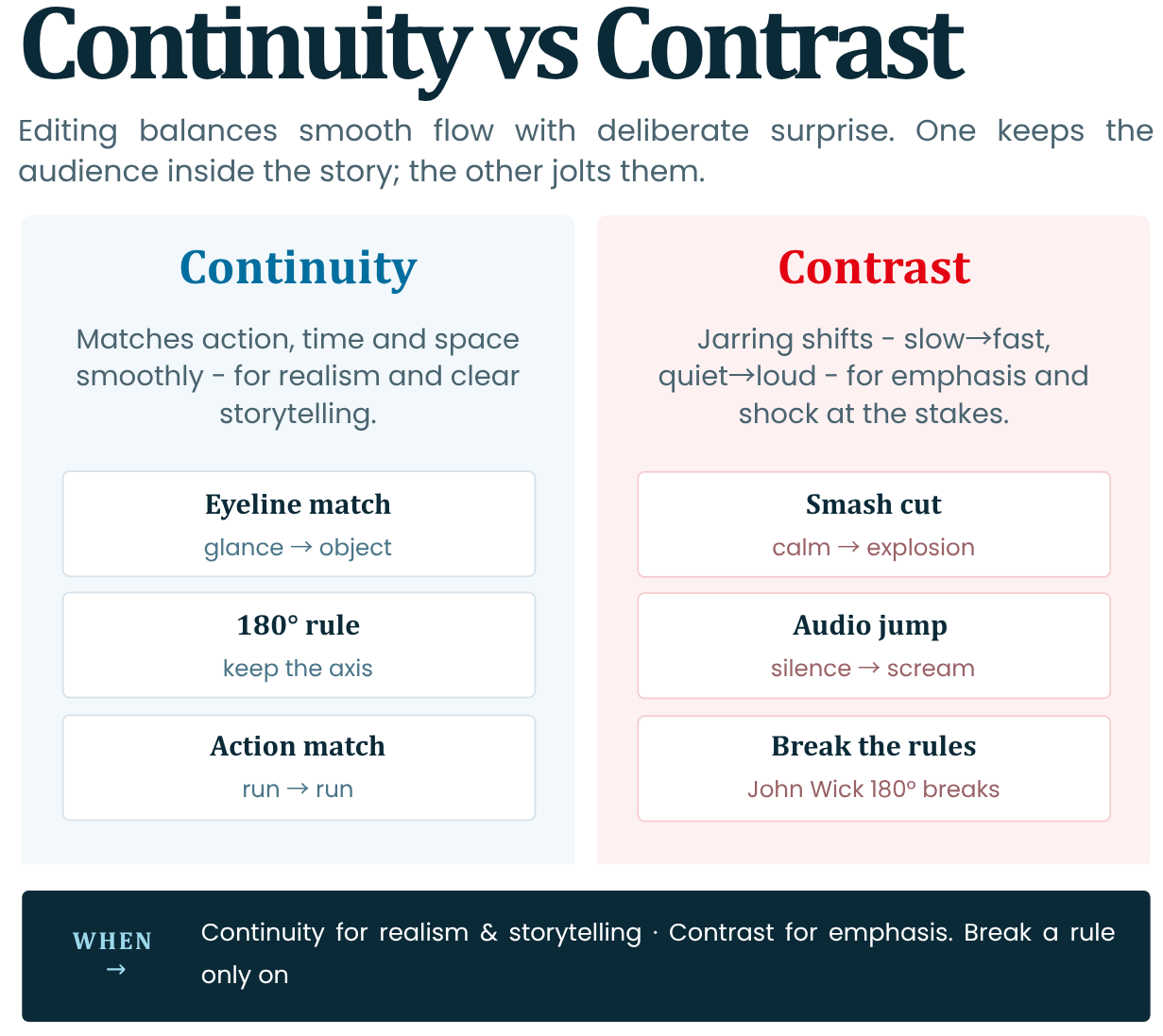
Editing balances flow (continuity) with surprise (contrast) for engagement.
- Continuity: Matches action/time/space smoothly. Rules: Eyeline match (glance → object), 180° rule (keep axis). The goal here is to achieve an "Invisible" flow.
- Contrast: Jarring and usually abrupt shifts (slow → fast, quiet → loud) for impact. Ex: Smash cut from calm to explosion = shock.
- When to Use: Use Continuity for realism/storytelling and Contrast for emphasis (Module 1 stakes).
Sometimes you can break rules intentionally
Example: *John Wick* uses 180° breaks for disorientation/fight chaos.Read: StudioBinder - 180 Degree Rule explained
Reference: 180° Rule from silent era (D.W. Griffith); continuity editing codified in Hollywood's Classical Period (1930s–'50s).
Watch: 180 Degree Rule explained
Continuity Example
Effect
Contrast Example
Effect
Action match (run → run)
Smooth flow
Cut from calm → scream
Shock/Urgency
Tip: Preview in timeline; adjust for flow vs twist.
5. Using Sound, Silence, and Music to Strengthen Story
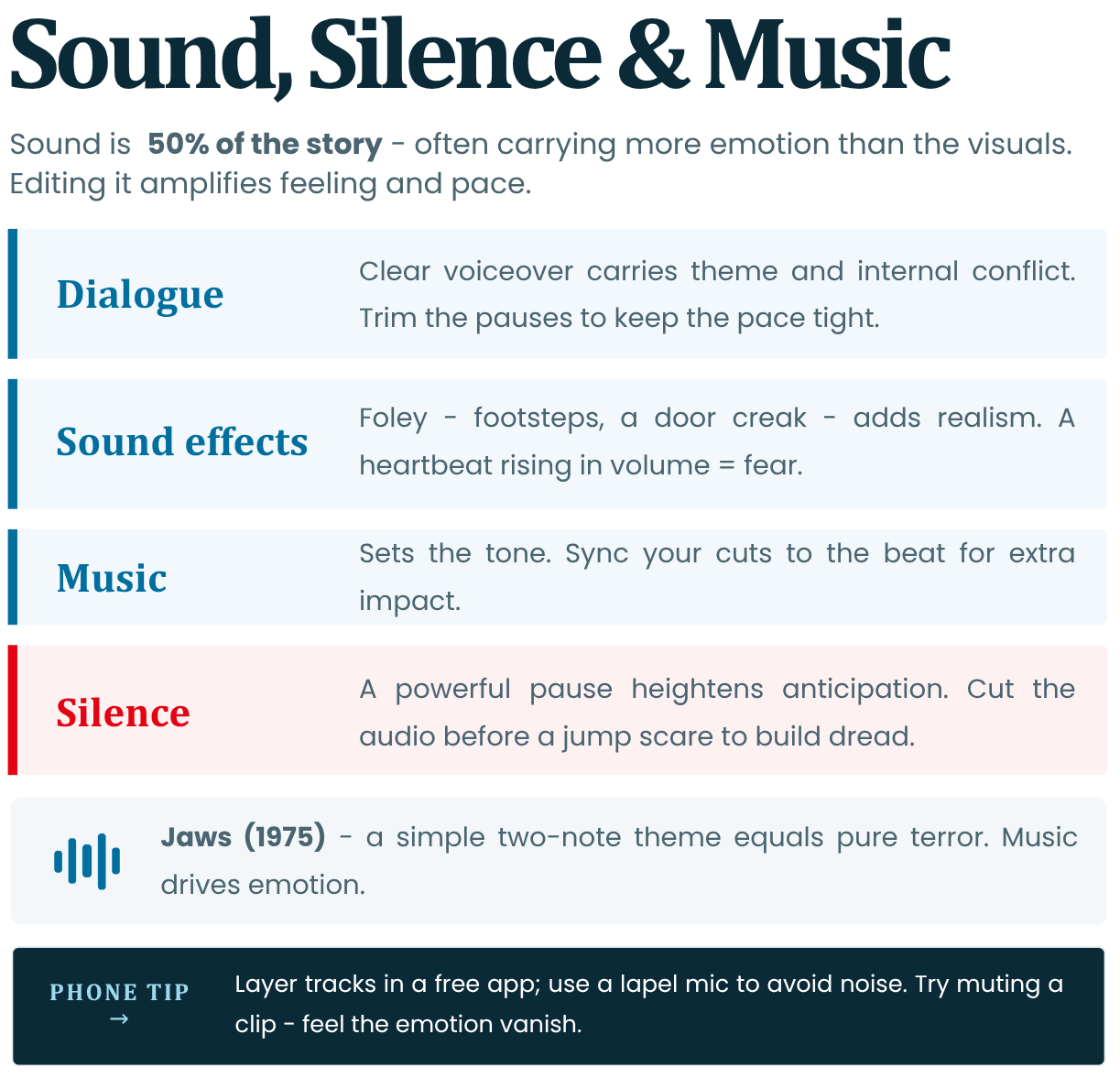
Sound is 50% of story (often more than visuals)—editing it amplifies emotion/pacing.
- Dialogue/Narration: Clear voiceover conveys Module 1 themes/internal conflict. Trim pauses for pace. Clear dialogue helps understand the characters.
- Sound Effects (SFX): Foley (footsteps, door creaks) adds realism to the film world and tension to the scene. Example: Heartbeat → rising volume = fear.
- Music: Sets tone of the scene. You can sync cuts to the music beat to create more impact with your visuals.
- Silence: Powerful pause - heightens anticipation. Example: Cut audio before jump scare to create a sense of dread.
Phone Tips: Layer tracks (free apps); Avoid noise (use lapel mic).
Reference: Steven Spielberg's “Jaws”: Simple 2-note theme = terror; proves music drives emotion (1975).
Watch: John Williams - Jaws theme
Read: University of Sydney - Jaws at 50: two notes | The Legacy of John Williams - Jaws at 45
Audio Visual Tip: Watch a few clips with muted sound and note the loss of emotion. Some films can be understood and experienced despite having their sound muted. This shows how much the filmmakers went into so much detail and how all the elements are optimised to portray that particular emotion.
6. Basic Introduction to Editing Tools (Mobile and Desktop Apps)
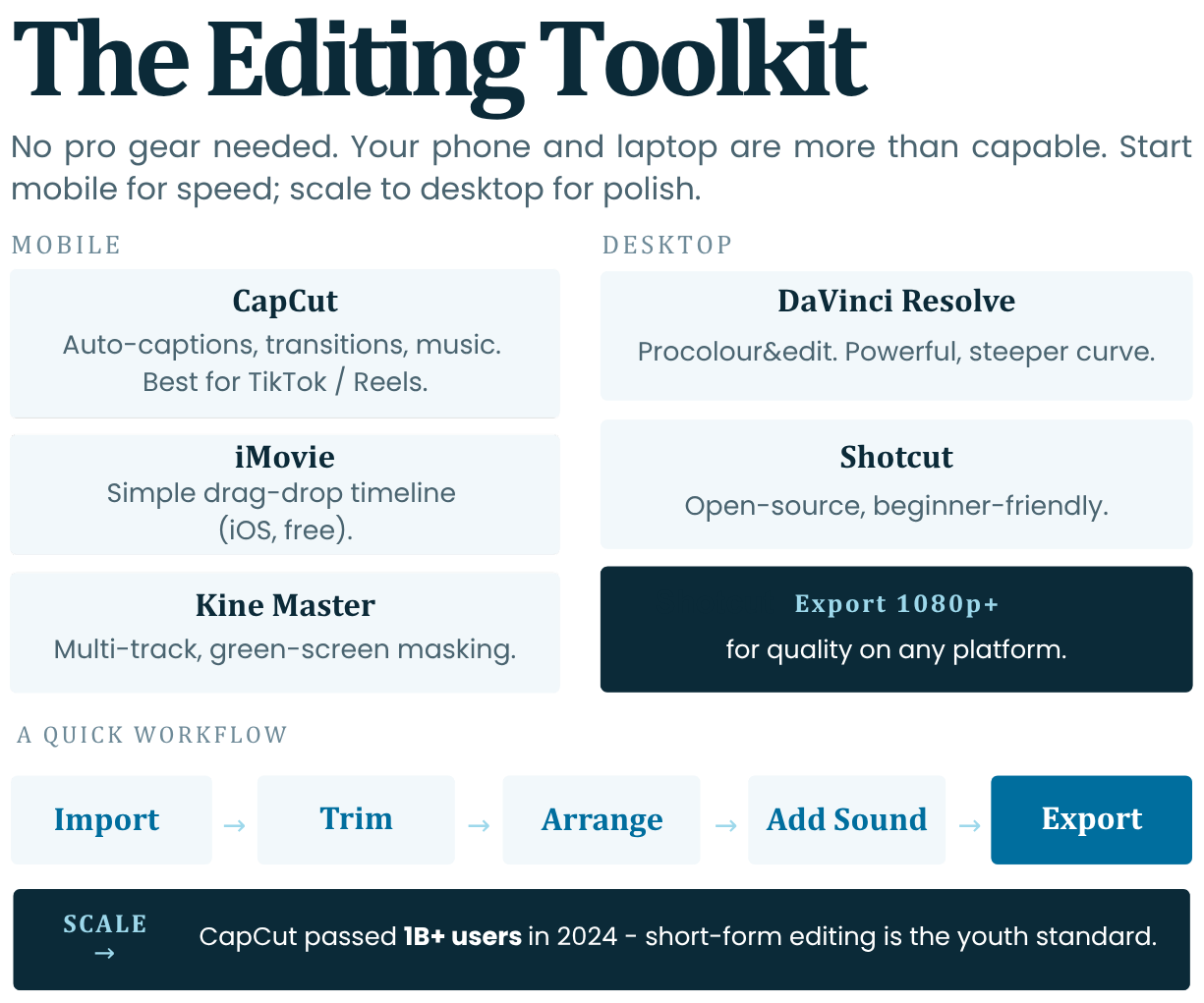
In today’s world, especially to start with, no pro gear is needed. Our phones and laptops are more than capable of handling hands-on editing.
Mobile Apps:
- CapCut (Free with in-app purchases): Auto-captions, transitions, music library. Best for TikTok/Reels.
Explore Further: CapCut official website
https://www.youtube.com/watch?v=K-FJIc93RqE- iMovie (iOS – Free): Simple timeline, drag-drop.
Explore Further: Apple iMovie App Store | Apple iMovie Support
https://www.youtube.com/watch?v=jhGG7ypIW_w
- KineMaster (Free with Watermark): Multi-track, can mask green screen.
Explore Further: KineMaster official website
https://www.youtube.com/watch?v=5AWSpzwy6Tw
Desktop Apps:
- DaVinci Resolve (Free): Professional colour/edit; steep learning curve but very powerful.
Explore Further: Blackmagic Design - DaVinci Resolve
https://www.youtube.com/watch?v=GzCVxx33yOI
- Shotcut (Free/Open-source): Beginner-friendly.
Explore Further: Shotcut official website
https://www.youtube.com/watch?v=PCMcyYAtRzw
A quick workflow would be:
Import → Trim → Arrange → Add Sound → Export.
Start mobile for speed; scale to desktop/laptop for polish.Reference: CapCut's 2024 report: 1B+ users for short-form editing (ByteDance); industry standard for youth creators.
Explore Further: CapCut official resources | CapCut official YouTube channel
Tip: Export 1080p or above for quality.
7. Exercise: Edit a Short Sequence to Create Different Emotional Effects + Audio-Visual Focus
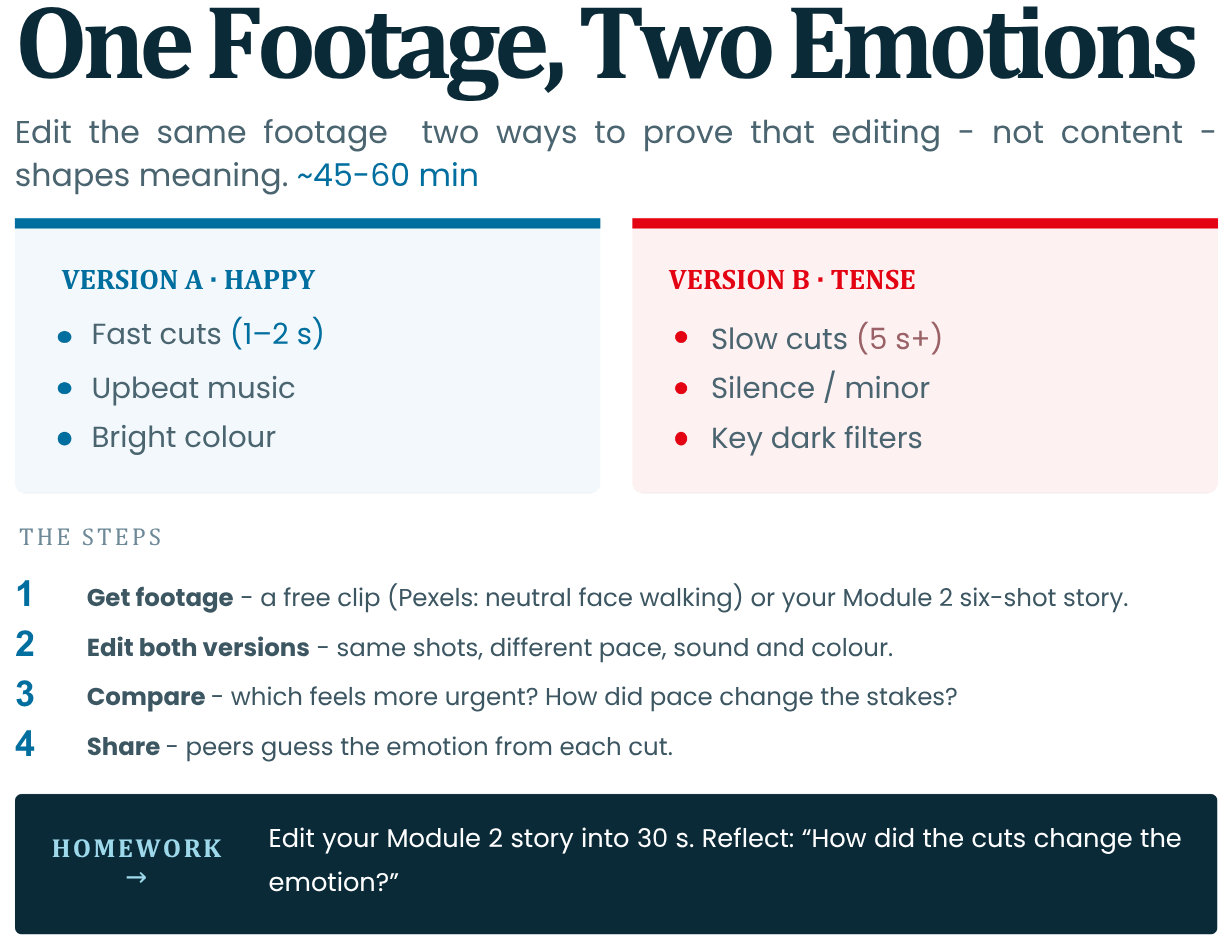
Goal: Use the same footage to edit two versions (e.g., happy vs tense), proving editing shapes meaning (Kuleshov).
This activity will take between 45-60 minutes.
1. Get Footage: Download free clip pack (e.g., Pexels: neutral face walking). Or use Module 2’s 6-shot story.
Explore Further: Pexels free stock videos
You will create:
-
Version A (Happy): Fast cuts (1-2s), upbeat music, bright colour.
-
Version B (Tense): Slow (5s+), silence/minor music, dark filters.
2. Edit: Using the apps mentioned above. Add sound/music/silence.
3. Compare your versions.
4. Share with peers and try to guess emotions.
Rubric: Which feels more urgent? How did pace change stakes?
Phone Tools: CapCut templates; free stock music (YouTube Audio Library).
Explore Further: YouTube Audio Library help page
Reference: NYU Editing Lab exercise; mirrors Kuleshov principles in practice.
Homework: Edit Module 2 story into 30s; reflect: "How cuts changed emotion?" Prep Module 4 full project.
-
-
Module 3 Assignment
Select and complete only one of the two tasks below. With it, you will practice what you have learned before moving on to the final test for this module.
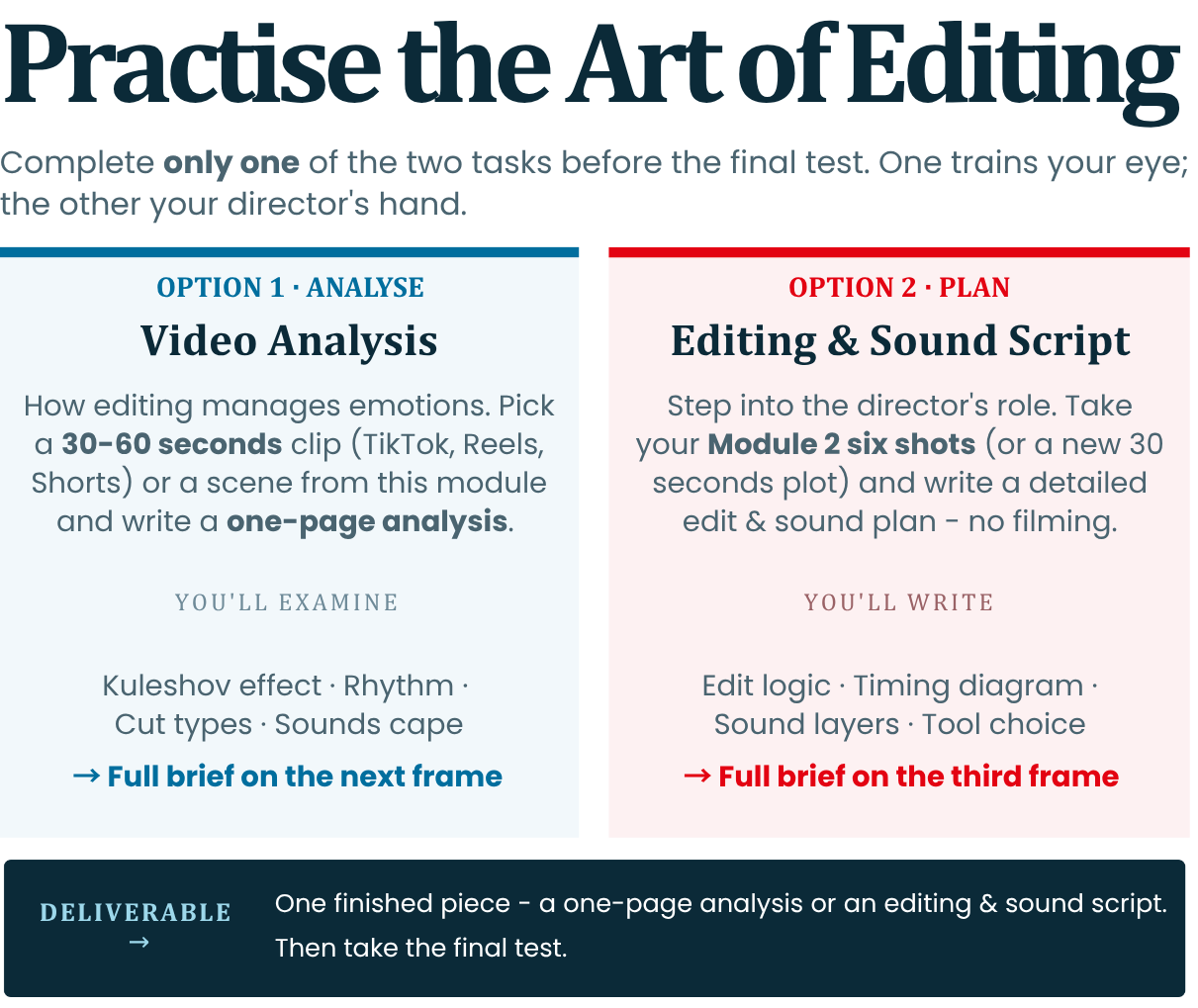
Option 1: Video analysis - how editing manages emotions
-
Description: This task is related to understanding the basic principles of editing. Once you have completed it, you need to understand how the shifting of frames, time and sound make us feel certain things without even realizing it.
-
What you need to do: Find a short video (between 30 and 60 seconds) on TikTok, Instagram Reels or YouTube Shorts, or take as an example one of the movie scenes we covered in this module. Watch the video several times and write a short analysis (up to one page), paying attention to the following:
1. The Kuleshov effect: Find a moment when the author collects two completely different frames to suggest something that is not said in words. (For example: we see the person's expression and immediately after that he cuts to a specific object – how does this make the viewer invent a story himself?)
2. Capture the rhythm: Try to detect the seconds of the shots. Where does the editing become "fast-paced" (shifts every 1-2 seconds) to suggest action or panic? Where does the shot linger longer (5-10 seconds) to give you time to feel the emotion or think? Is there a sharp transition from dynamic to slow tempo?
3. Types of editing: Give an example where the action flows so smoothly from frame to frame that the editing becomes "invisible". Conversely, find a moment when the video intentionally startles you or catches you off guard through a sharp turn (for example, a jump from silence to brutal noise or a sudden interrupted frame/smash cut).
4. The sound environment: Pay attention only to what you hear. How do speech, background noise (SFX) and music work together? Is complete silence used at a key moment to increase tension or a sense of fear?
Option 2: Make your first installation plan
-
Description: This task is for people who want to step into the role of directors and plan step by step how the video and sound will be assembled into a finished film.
-
What you need to do: Take the 6 shots you shot or planned as static images in the Module 2 practice task (or come up with a new, very simple 30-second plot – for example, a person who panics because he is late and drops a plane). Instead of shooting, write a detailed Editing and Sound Script on the following 4 points:
1. Editing logic (Based on Kuleshov): Write a short series of 3 frames that explains how the character feels without opening his mouth. Describe: What is in Frame A (face without emotion)? What do we see in Frame B (object or event)? What will the viewer think when he sees them one after the other?
2. Seconds and dynamics: Spread the time within these 30 seconds. Make a diagram: in which part you will accumulate short, quick shots (1-2 seconds each) to show panic or tension, and at what point you will leave one long shot (5-10 seconds) to close the story with a sense of relief.
3. The sound tracks: Describe exactly what will be heard in the background in the three main audio layers:
-
Dialogue / Voiceover: What is spoken and in what tone (whisper, shout, rapid breathing)?
-
Effects and Noises (SFX): What realistic sounds will you amplify (footsteps, squeak, pulse, ticking) to raise the tension?
-
Music and pauses: What is the melody, how does it move relative to the frames, and at what second will you stop the sound completely for a stronger dramatic effect?
4. Technical Choice: Which of the programs in the module (CapCut, iMovie or DaVinci Resolve) will you choose for editing and why? Briefly write your 5 steps from inserting the files to the ready-to-upload video.
-
-
-
-
Module 4: Creating Your Own Audio-Visual Story
Creating Your Own Audiovisual Story
Complete Video Creation from Idea to Final Cut
Goal: Learners will synthesise all prior modules into a polished 30-60 second original video story - drawing from personal experience, planning visually, filming on phones, editing with sound, and screening for audience feedback. This capstone builds confidence for ongoing script/podcast creation. The overall goal of participants is to apply all tools to create a short original video story.
-
Developing a simple story idea from personal experience.
-
Planning: story outline and basic storyboard.
-
Filming techniques using available devices.
-
Recording usable sound and avoiding common mistakes.
-
Basic editing and assembling the final story.
-
Sharing stories and understanding audience perspective.
-
Screening and group reflection.
-
Audio-visual focus: complete short video creation from idea to final cut.
1. Developing a Simple Story Idea from Personal Experience
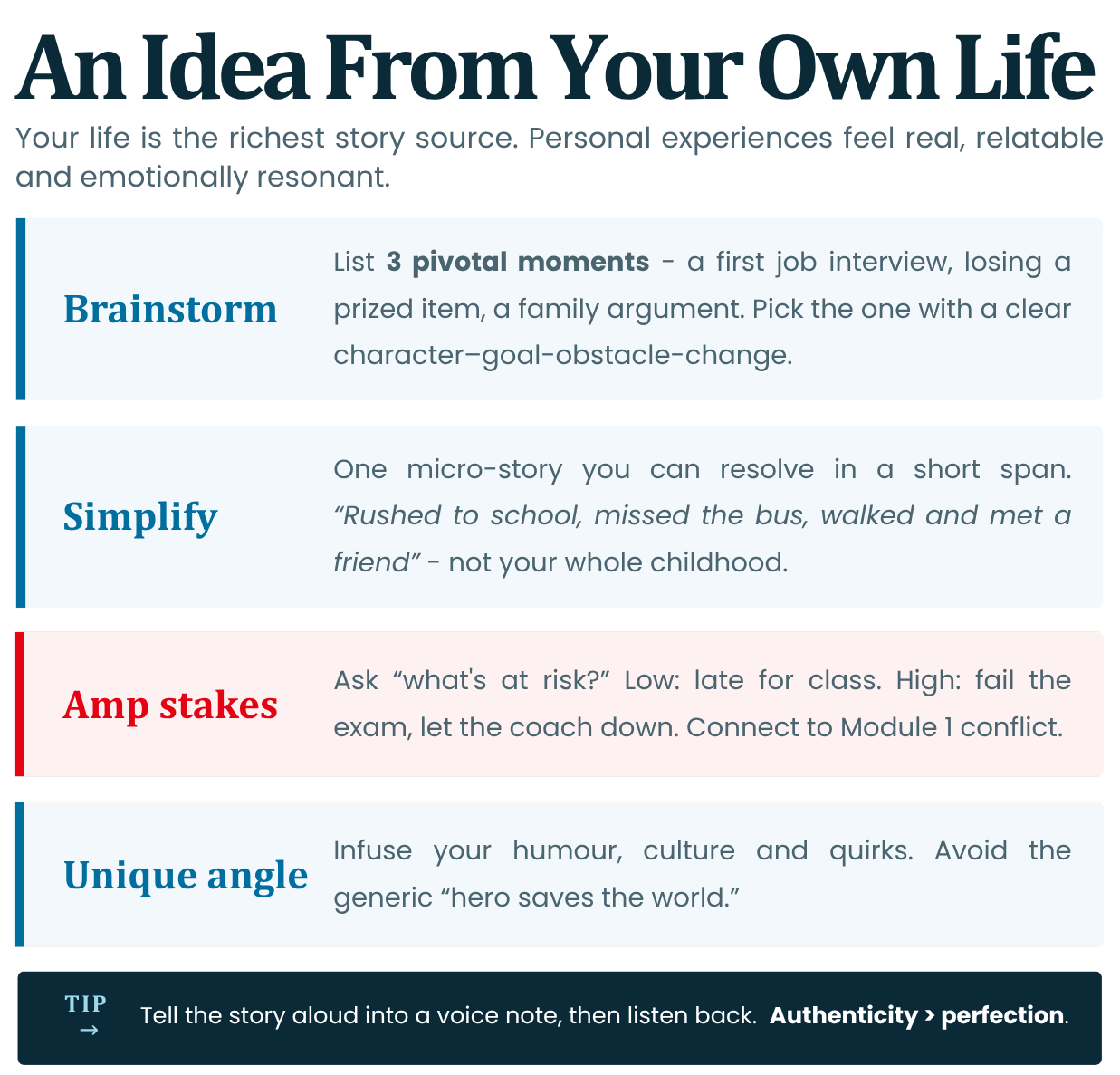
Start with authentic material: Your life is the richest story source. Personal experiences feel real, relatable, and emotionally resonant (Module 1 emotion/memory).
- Brainstorming: List 3 pivotal moments in your life (Example: first job interview, losing a prized item, family argument). Pick one with clear character-goal-obstacle-change (Module 1)
- Simplify: For shorts (30-60s), focus on one micro-story possibly that can be resolved in a specific short span of time (Example: "Rushed to school, missed the bus, walked and met friend" not "My whole childhood")
- Amp Stakes: Ask: "What's at risk?" Low stakes: Late for class. High stakes: Fail exam, let coach down. Connect to Module 1 conflict.
- Unique Angle: Infuse personal voice: your humour, culture, or quirks. Avoid generic "hero saves world."
Tip: Use phone voice notes to tell a story aloud; record flow. Then listen to it to review. Remember Authenticity > Perfection.
Reference: Distributions like Sundance's "Noora" (2023) uses personal immigrant stories for festival hits; mirrors indie documentary ethos.
Quick Exercise: 5-min journal: "One moment that changed me."
2. Planning: Story Outline and Basic Storyboard
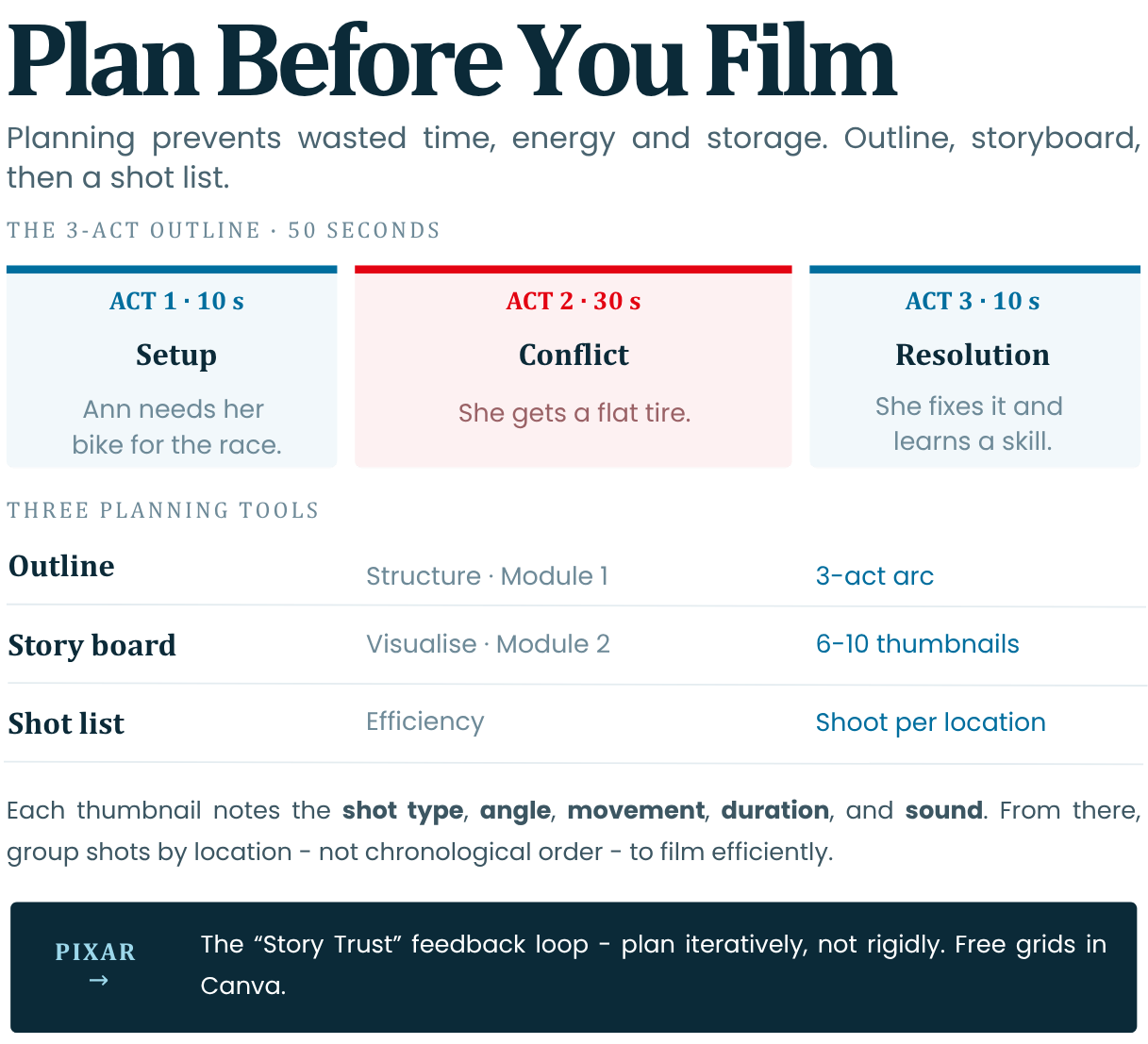
Planning prevents wasted filming (time, energy and storage space). Apply Module 1 outline and Module 2 storyboard workflows before touching the camera.
Step-by-Step Outline (Module 1: The 3-Act Structure):
- Act 1 (10s): Setup character/goal (Example: Anna needs bike for race)
- Act 2 (30s): Obstacle/conflict (Example: Anna gets a flat tire)
- Act 3 (10s): Change/resolution (Example: Anna fixes the tire and learns a new skill)
Storyboard (Module 2: Sketch 6-10 thumbnails):
1. Wide shot (setup)
2. Close-up (emotion)
3. POV (action)
Include: Shot type, angle, movement (if any), duration and sound note (if any).
From these thumbnails you can then work on your shot list so you plan the shoot per location and not necessarily everything in chronological order.Phone Tools:
- Canva Templates: Free storyboard grids.
- Paper + Pen: Quick thumbnails.
Reference: Pixar's "Story Trust" feedback loop—plan iteratively, not rigidly (Ed Catmull, Creativity Inc.).
Planning Element
Purpose
Example
Outline
Structure (Mod 1)
3-Act arc
Storyboard
Visualize (Mod 2)
8 sketches w/ shots
Shot List
Efficiency
"Wide → Close-up"
3. Filming Techniques Using Available Devices
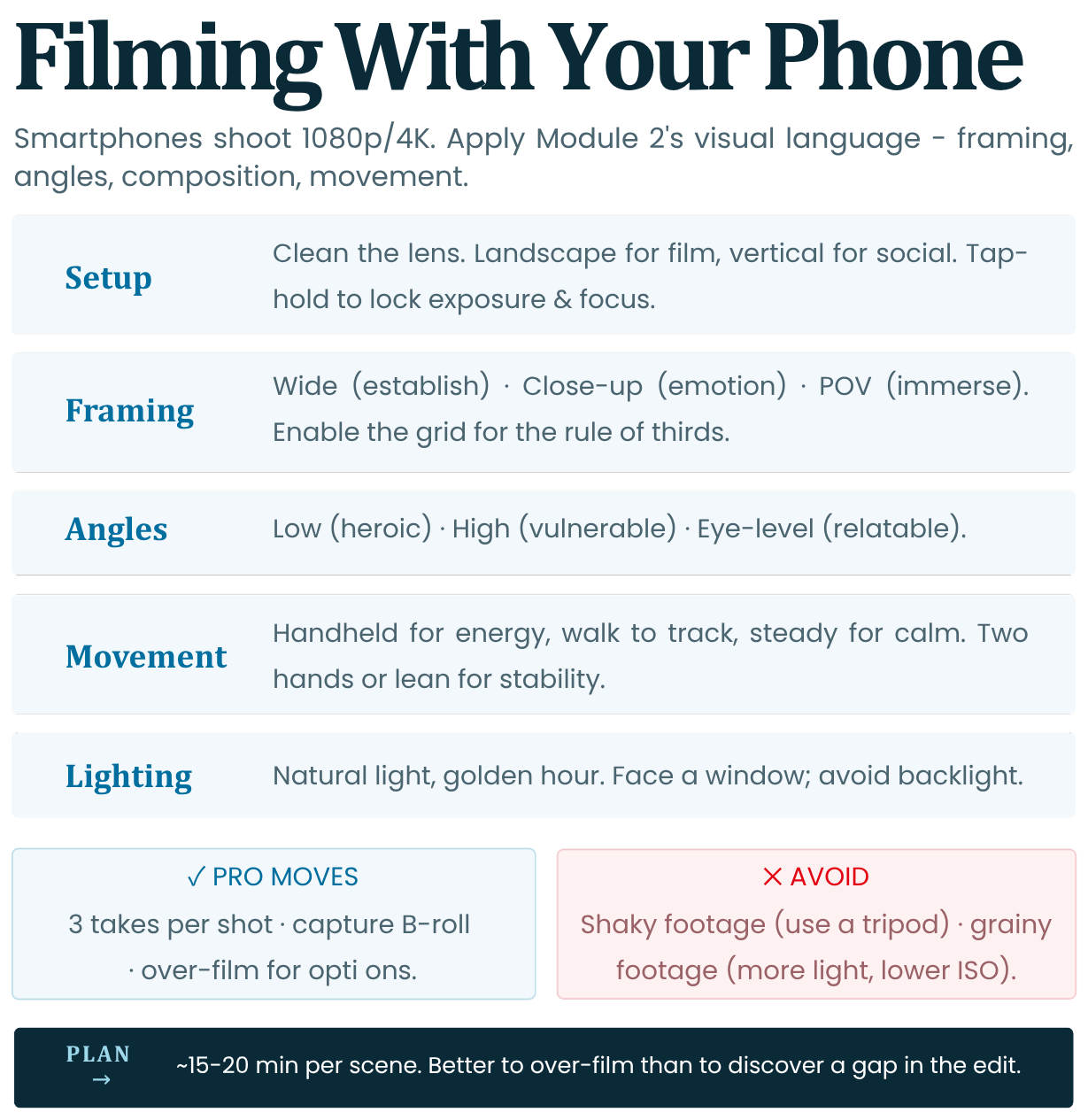
Smartphones nowadays have pro cameras (1080p/4K). Apply Module 2 visual language: Framing, angles, composition, movement.
- Setup: Clean your lens, put your phone in horizontal (landscape) mode for films. Shoot verticals for TikTok and/or other social media. Lock exposure/focus (tap-hold on phone)
- Framing: Wide (establish), Close-Up (emotion), POV (immerse). Rule of thirds for composition (enable grid)
- Angles: Low (heroic), High (vulnerable), Eye-level (relatable)
- Movement: Handheld for energy; walk for tracking; stable for calm. Use two hands/lean.
- Lighting: Use natural light where possible (Consider Golden Hour which is usually 1 hour after sunrise or 1 hour before sunset). Face a window and avoid backlight.
Pro Moves: Shoot 3 takes per shot; capture B-roll (details or other footage related to your film) for editing flexibility.
Reference: iPhone 15 Pro's Cinema Mode (2023) mimics shallow depth like ARRI Alexa; used in indie shorts (IndieWire).
Common Mistakes: Shaky footage (use a tripod or gimball); Grainy footage (lower ISO within the camera app or add more lighting).
Plan 15-20min per scene to shoot. Over-film for options. Better to have extra footage than realising that you need more footage during editing and have to go back to get it. Sometimes this is not even possible due to certain restrictions.
4. Recording Usable Sound and Avoiding Common Mistakes
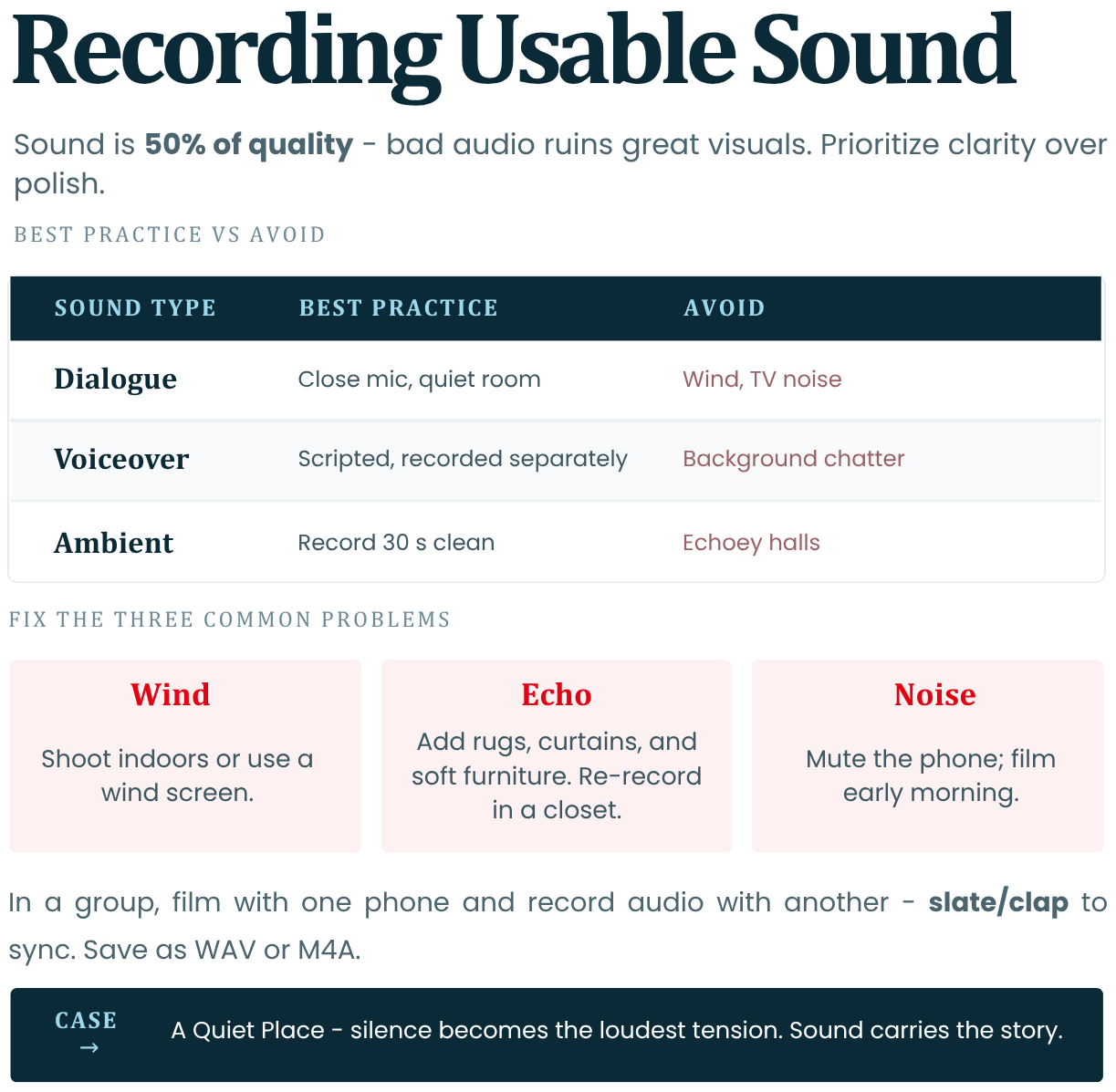
Sound is 50% of quality (Module 3) - bad audio ruins great visuals. Prioritize clarity over video polish.
- Lapels/Mics: Phone mic works if close by. If you are in a group, you can use one phone to film visuals and one to record audio. Then you can sync the video clip and sound clip during editing. Make sure to slate / clap before the take. The clap should be captured visually on camera and heard on the audio. Use cheap lavaliers or earbud mic.
- Quiet Spaces: Record indoors with no echo; turn off fans/AC and anything else that might be producing loud noise. Be mindful of where you are. In a forest you might be hearing birdsongs and in the street you might be getting crowd noises.
- Voiceover/Narration: Script lines (Module 1 theme); speak clearly and take pauses. Record separately in quiet room.
- SFX: Capture ambient sounds (footsteps, door creaks) for Mod 3 layering.
Tip: Test audio playback before moving on.
Common Mistakes:
- Wind: Shoot indoors or use wind screen.
- Echo: Add rugs/curtains or any other soft furniture.
- Background Noise: Mute phone, film early morning.
Quick Fix: Re-record dialogue in closet (fabric absorbs echo).
Phone App: Use Voice Memos (iOS) or RecForge (Android) for high-quality audio. Be sure to save in WAV or M4A.
Reference: *A Quiet Place* (2018): Silence as tension; emphasizes sound's story power (Paramount).
5. Basic Editing and Assembling the Final Story
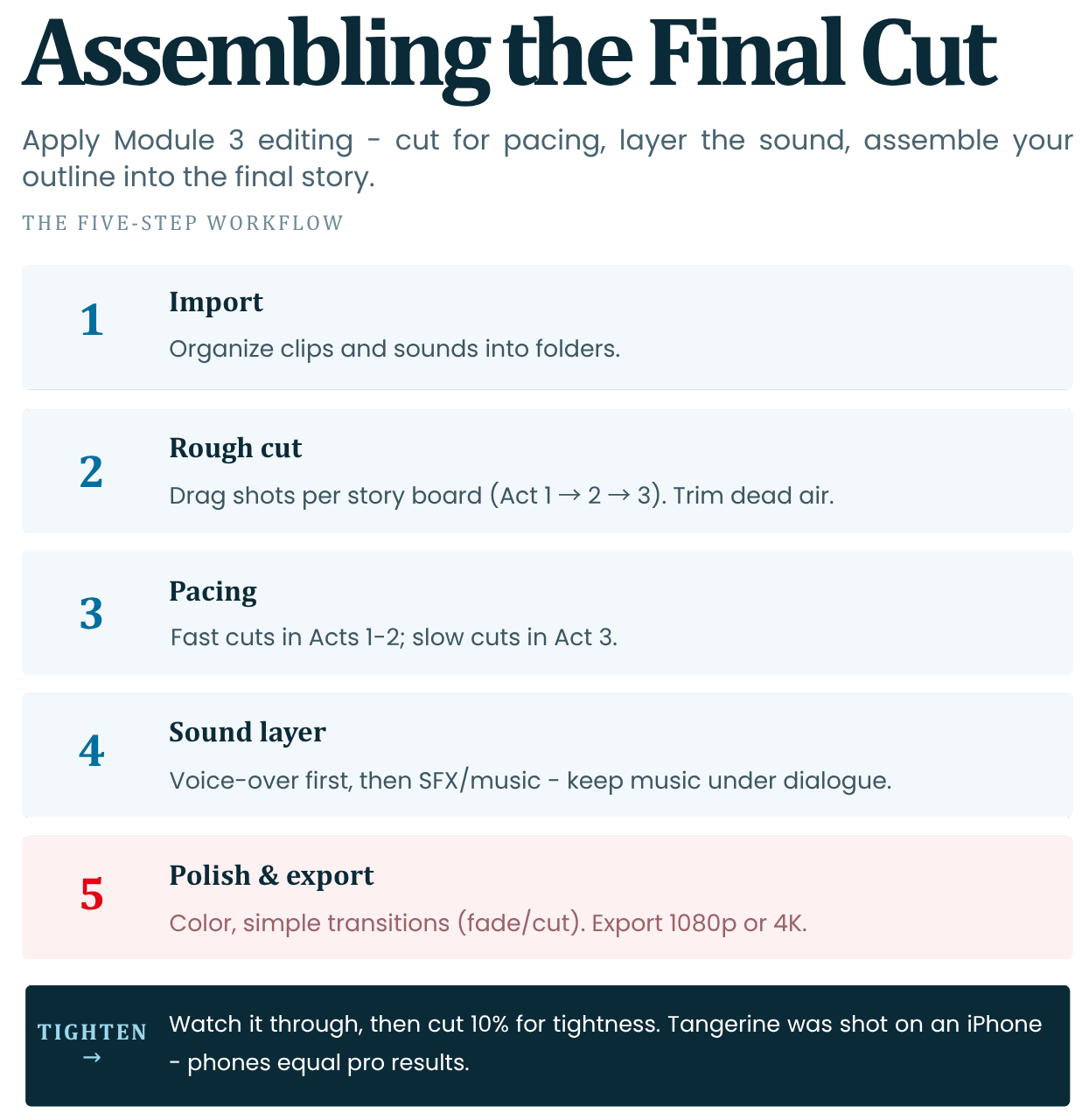
Apply Module 3 editing: Cut for pacing, add sound/music. Assemble outline into final cut.
Workflow (Mobile/Desktop Apps from Module 3):
1. Import media: Organize clips/sounds into folders.
2. Rough Cut: Drag shots per storyboard to form the backbone of your story
(Act 1 → 2 → 3). Trim dead air.3. Pacing: Fast cuts (Acts 1-2), Slow cuts (Act 3)
4. Sound Layer: Add voiceover first, then SFX/music (lower music volume under dialogue)
5. Polish: Colour grade or add filters (basic brightness/contrast), transitions (fade/cut only). Export 1080p or 4K.
Reference: “Tangerine (2015)”: Shot on iPhone; edited in Final Cut Pro—proves phones = pro results (Sundance).
When ready, watch the full sequence. See if you can cut down 10% for tightness.
6. Sharing Stories and Understanding Audience Perspective
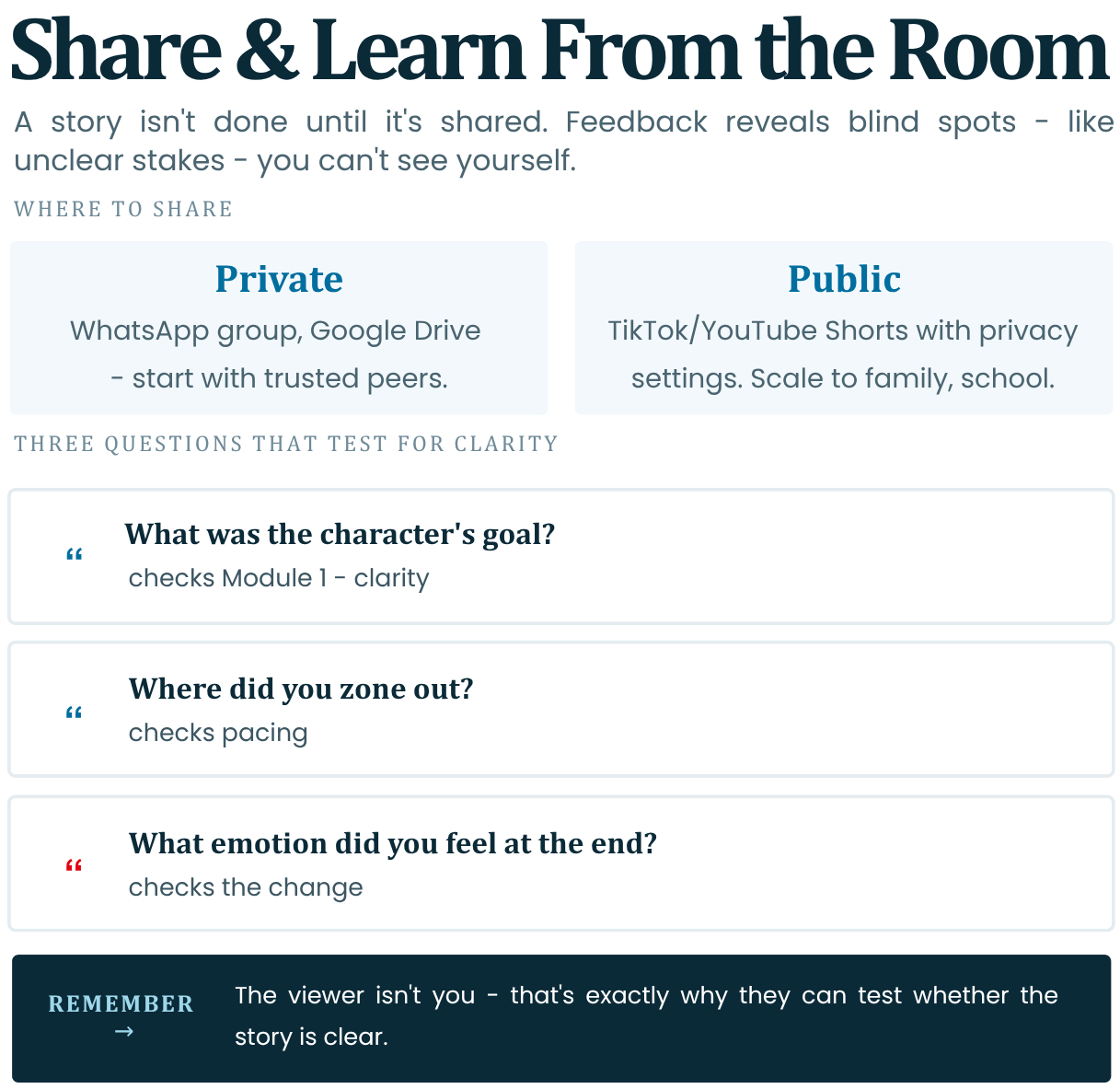
Stories aren't done until shared. The feedback that you receive may reveal blind spots like for example unclear stakes.
- Platforms: Share privately (WhatsApp group, Google Drive) or public (TikTok/YouTube Shorts with privacy settings)
- Audience Lens: Ask the following questions for useful feedback: "What did you feel? Confused? Clear goal?" Remember that the viewer isn't you so they can help you test for clarity.
- Feedback Questions:
- "What was the character's goal?" (Module 1 check).
- "Where did you zone out?" (Pacing).
- "What emotion did you feel at end?" (Change).
Tip: Start with trusted peers; scale to family/school.
Homework: Export story + 1-paragraph of reflection.
-
-
Module 4 Assignment
Select and execute only one of the two options of your choice. This task will help you put what you have learned into practice before moving on to the test.
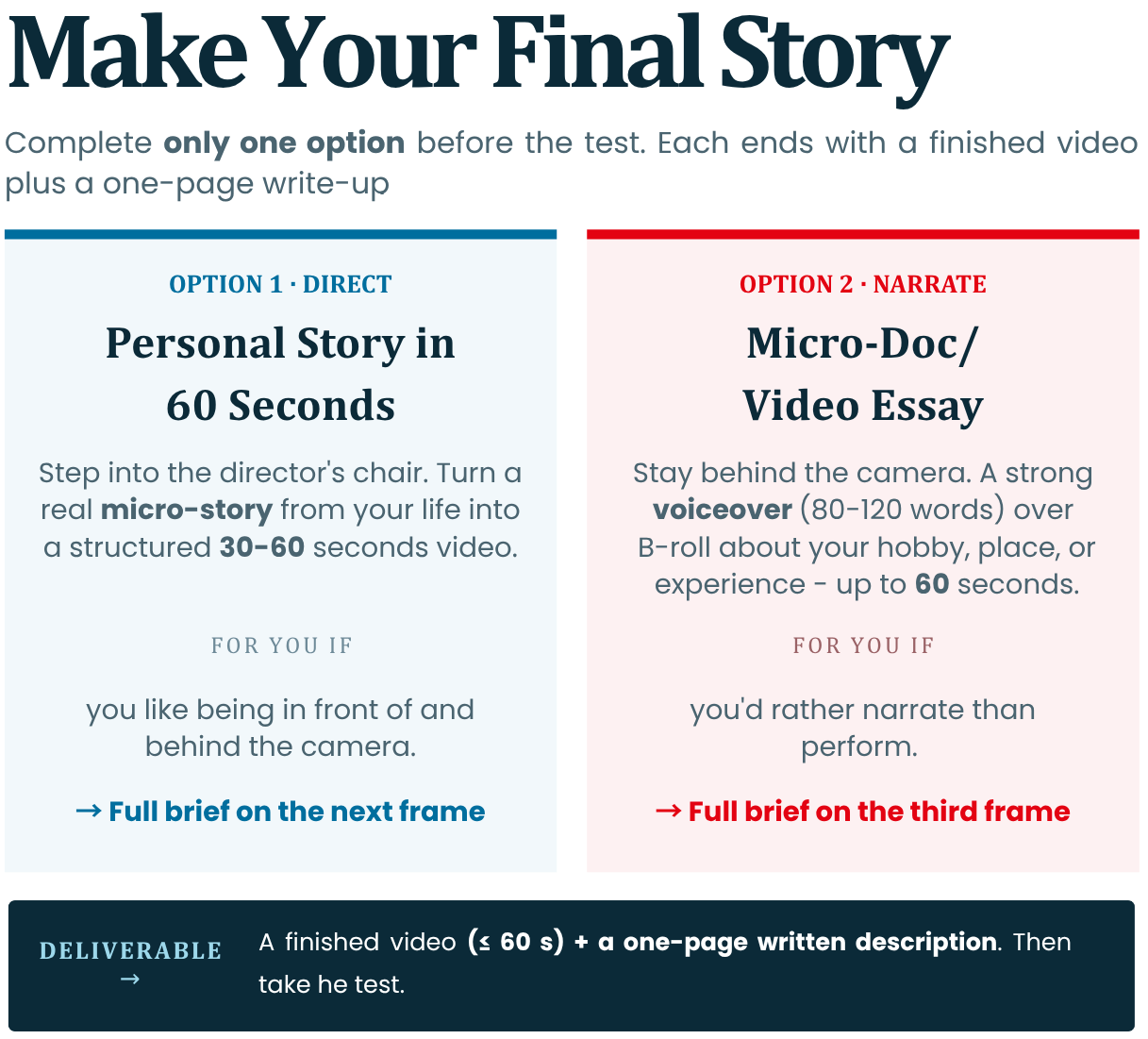
Option 1: Create a personal story in 60 seconds
-
Description: This option is suitable for people who want to step into the role of directors and cinematographers and develop their ability to turn a real event from their life into a short, structured and exciting video.
-
Your task: Choose a specific "micro-story" from your personal experience (e.g. missing a bus, a lost object or an unexpected meeting). Capture it and edit it into a short video with a duration of between 30 and 60 seconds. Describe the following elements in writing in a volume of up to one page attached to the finished video:
1. Тhe Four Pillars of Planning: Describe how you filmed the Four Pillars of Module 1 (Who is the Hero, what is their Objective, what is the Obstacle and what is the Change at the End)? Describe how you pre-planned the shots through the Shot List to save time on the ground.
2. Technical shooting and audio: Describe how you prepared your phone for photos (clear lens, lock focus and exposure). What technique did you use to capture clear sound and how did you synchronize the picture and audio (e.g. clapping/clapping)?
3. Editing & Feedback: How did you arrange the audio tracks on the timeline (voice, music, effects) and how many percent did you shorten the rough cut to achieve a tight tempo? Share what an outside viewer (friend or classmate) found when you showed them the video for the first time.
Option 2: Micro-Documentary / Video Essay
-
Description: This option is suitable for people who prefer not to play in front of the camera, but to talk about their hobby, favourite place or experience, combining strong Voiceover with beautiful additional shots.
-
Your task: Write a short script (80-120 words), write it down as a narrator and shoot visuals to illustrate your words in a short video of up to 60 seconds. Describe in writing the following elements in a volume of up to one page attached to the finished video:
1. Screenplay and visual plan: Write the original text you read behind the scenes. Describe how you made your list of 8–10 specific shots and how you shot B-roll footage (close-ups and details) to illustrate your words.
2. Acoustics and light work: Describe how you controlled the environment when recording the voice to avoid echoes (e.g. a wardrobe trick or closet). How did you use natural light (e.g. shooting during the Golden Hour) and the Rule of Thirds to make the picture look professional?
3. Audio-visual balance: Describe how you put the project together in the editing program, starting with the voice audio track first. How did you balance the decibel levels to ensure that background music and sound effects (SFX) don't drown out your speech?
-
-